
The listings are out of date
AlternativeTo's Clipy page still says "Discontinued. The last version (1.2.1) is from October 2018." Slashdot, SourceForge and Softonic repeat it. Most listicles do too. That was accurate for years. It stopped being accurate on 20 June 2026, and nobody updated the record.
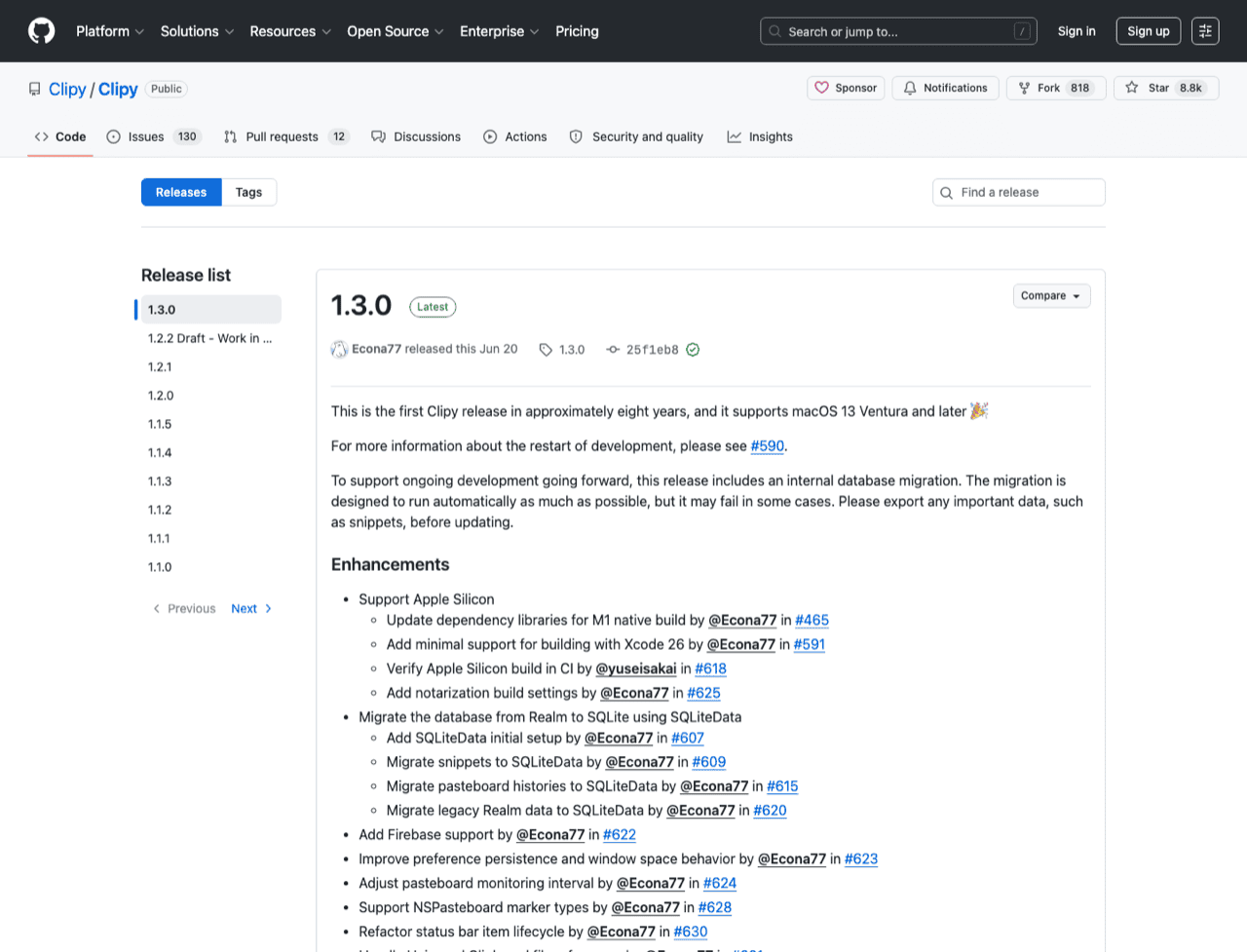
The verified state, from the GitHub API on 28 July 2026: latest release 1.3.0, published 2026-06-20. Previous stable 1.2.1, 2018-10-10, so the gap really was close to eight years. The repository is not archived and carries roughly 70 commits over the last 52 weeks. Its develop branch has commits dated 25 to 28 July 2026. Licence MIT, cost zero, about 8,800 stars and 818 forks.
Apple Silicon is native since 1.3.0. The release rebuilt dependencies for M-series Macs, added an Apple Silicon build to CI, and added notarisation settings. It needs macOS 13 Ventura or later. The two community forks that appeared during the quiet years, ian4hu/Clipy and Clipy-apple-silicon, have nothing left to fix. Install the official build.
The maintainer said this out loud. In issue #590, Econa77 stated that Clipy has not been abandoned. Anyone still publishing "Clipy is dead" in 2026 has not looked.
Export your snippets before you update
The 1.3.0 release notes move storage from Realm to SQLite and carry an explicit instruction: export important data such as snippets before updating. My advice is to take that literally. A one-shot migration across an eight-year gap is exactly when you want a copy. Open the snippet editor, export, then update.
Does Clipy collect anything
1.3.0 added Firebase, and I want to be fair about it because the answer is boring. The integration is opt-in, gated behind a crash-report preference in Settings. The only analytics events in the source are two menu-opened events, pop_up_menu and pop_up_snippet_folder_menu. Clipboard contents are not sent anywhere. Your history stays in a local SQLite file.
What Clipy still does not do
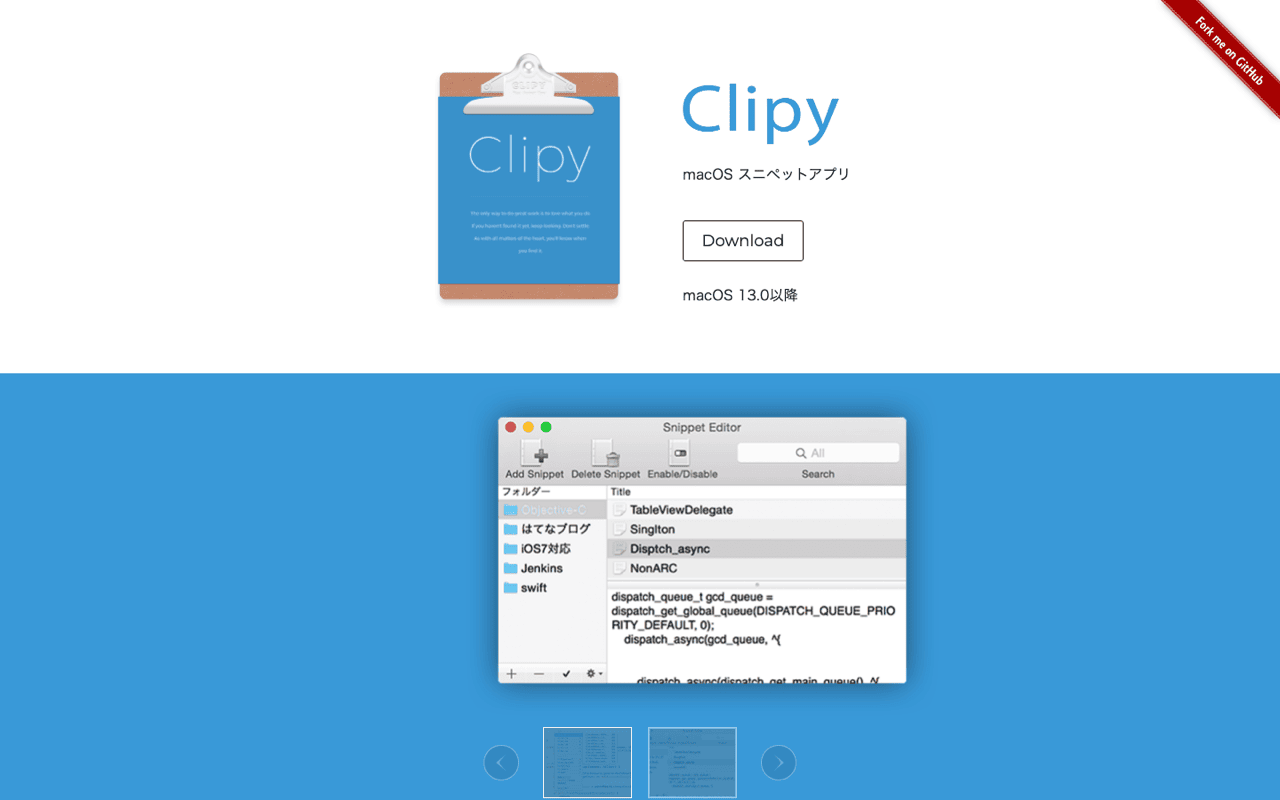
Clipy is the successor to ClipMenu: a menu-bar history plus a snippet library, both reached from the status item or a shortcut. ⇧⌘V opens history, ⇧⌘B opens snippet folders. It all happens inside an NSMenu dropdown, which is fast and keyboard-driven and stays out of the way. A menu is also something you navigate rather than query, and the default history is 30 items.
Ten years is a long time to want one feature. Search in Clipy was first requested in 2016, in [issue #88](https:
github.com/Clipy/Clipy/issues/88), and two pull requests for it exist: [#672](https:
github.com/Clipy/Clipy/pull/672) adds history search, [#674](https:
github.com/Clipy/Clipy/pull/674) adds a fuzzy search panel. Both were still open on 19 July 2026.
That single gap sends most people looking for an alternative. A scrollable menu works at 30 items and stops working at 3,000, and the moment your history is worth keeping is the moment you need to type into it.
One paste at a time. There is no way to queue three items in Clipy and paste them in order. Pulling five values from a spreadsheet into a form means five trips back to the menu.
No transforms on paste. Whatever you copied is what lands: same case, same smart quotes, same invisible characters, same minified JSON.
Snippets you cannot search. Snippet folders exist and work well, one level deep. Finding a snippet by typing part of its body is not possible.
No OCR. Copy a screenshot and the words inside it stay unreachable.
Clipy and Klipto, side by side
| Clipy 1.3.0 | Klipto | |
|---|---|---|
| Price | Free, MIT open source | Free tier, then $19.99 one-time (no subscription) |
| Latest release | 1.3.0, 20 Jun 2026 (first in ~8 yrs) | Actively developed |
| macOS | 13 Ventura or later | 14 Sonoma or later |
| Apple Silicon | Native since 1.3.0 | Native, plus Intel |
| Clipboard history | Yes, menu-bar dropdown, 30 by default | Unlimited, local |
| Search history | No (PRs #672 / #674 open) | Yes, full text plus OCR inside images |
| Paste UI | NSMenu dropdown (⇧⌘V) | Hold-to-paste popup (⌥⌘V) |
| Paste several items in order | No | Yes, the Stack |
| Transform text as you paste | No | 20+ transforms (case, JSON, colours, Anti-LLM) |
| Content-type detection | Text and images | 22 types |
| Snippets | Yes (⇧⌘B) | Yes, snippets and folders |
| Drag into Figma and design tools | No | Collect, then drag out |
| Telemetry | Opt-in Firebase, menu events only | Clipboard data never leaves your Mac |
| Source available | Yes (MIT) | No |
Stay on Clipy if
You are on macOS 13 Ventura and cannot move to Sonoma. Klipto needs macOS 14.
You want zero cost and source you can read. Clipy is MIT and free, permanently, with nothing above it.
Your work is mostly snippets, so canned replies, addresses and boilerplate, and ⇧⌘B already covers all of it.
Your history is short and you find things by looking rather than typing.
Nothing is broken. Years of muscle memory in a tool you trust has real value that no feature table measures. Update to 1.3.0, export your snippets first, and carry on.
Switch if search is what you are missing
You cannot find things. Klipto's history is a searchable list. Type a fragment and the item surfaces, whether you copied it this morning or in March. It also runs OCR over copied images, so you can search text inside screenshots. Several managers do OCR in 2026. Clipy is not one of them.
You paste sequences. Paste several items in order with the Stack: copy five things, then paste them one after another with one shortcut, in the order you collected them. Design work has its own version, where you collect and drag into Figma as a group.
You want text fixed as it lands. Klipto's transforms run at paste time, offline and system-wide, with no website round trip. Case conversion, JSON pretty-print and minify, colour conversion across HEX, RGB, HSL, SwiftUI and Tailwind, and Anti-LLM cleanup that strips em dashes, smart quotes and invisible characters out of AI output. Klipto recognises 22 content types, so the transform that fits what you copied is already on screen when the preview opens. The Stack, the transforms and the OCR are ours.
You want history that does not end. Unlimited local clipboard history with snippets in folders, all of it on your Mac. The free tier shows the five most recent items and never expires, the full app is $19.99 once, and there is a 14-day Pro trial with a 30-day money-back guarantee.
Other free options worth knowing
CopyQ is free, GPL-3.0, cross-platform and scriptable, and the strongest choice for automation. The interface is not very Mac-native.
PasteBar is free and open source, Mac and Windows, with unlimited history. Flycut is free, open source and text only, descended from Jumpcut, and quiet lately.
macOS 26 Tahoe has clipboard history in Spotlight (⌘Space, then ⌘4). Entries expire, so it does not replace a manager.