
What macOS already gives you
macOS 26 Tahoe keeps clipboard history inside Spotlight. Press ⌘Space, then ⌘4. The Clipboard switch lives in System Settings → Spotlight. Public sources disagree on whether it arrives on or off and I could not verify it, so check the panel.
Retention is 8 hours by default, 7 days at most. macOS 26.1 added a picker with 30 minutes, 8 hours and 7 days, plus a Clear Clipboard History button (MacRumors, November 2025). The list survives a reboot. It does not survive the retention window.
Text arrives as plain text, formatting stripped, and images are stored. Anything longer than roughly 16,384 characters, about four pages, copies and pastes fine but never gets saved (MacMost). That answers the "why isn't my long text in clipboard history" question. No pinning, no folders, no per-app exclusion.
This is macOS 26 only. On Sonoma or Sequoia you have nothing built in, which covers a large part of the installed base that articles on this topic keep forgetting.
The free field, compared
| App | Price | Maintained? | History limit | Images? | Apple Silicon |
|---|---|---|---|---|---|
| Built-in (macOS 26) | Free | Apple, active | 8 hours default, 7 days max | Yes; text saved as plain text | Native |
| Clipy | Free, MIT | Active, 1.3.0 Jun 2026 | 30 default, configurable | Yes, plus RTF, PDF, files | Native |
| CopyClip | Free (search = $7.99 CopyClip 2) | Updated May 2026 | 80 stored / 20 shown | No, text only | Native |
| Flycut | Free, MIT | No release since Dec 2020 | 40 clippings | No, text only | Contested, unverified |
| Maccy | Free, MIT | Active | 200 default, 999 max | Yes | Native |
| PasteBar | Free, open source | Active | Unlimited | Yes, plus files | Native |
| Klipto | Free tier: 100 items · $19.99 once | Active | Unlimited on Pro | Yes, plus OCR search | Native, plus Intel |
None of the free apps here keeps collecting while you decide. Klipto's free tier writes your full history to the local database and shows the last 100 in the popup, so the cap limits the display and not the data. Buy a licence six months later and those six months are there.
Past a few thousand items, narrowing beats depth. Filtering by date, app and content type is a different job from scrolling one list.
Clipy is alive again
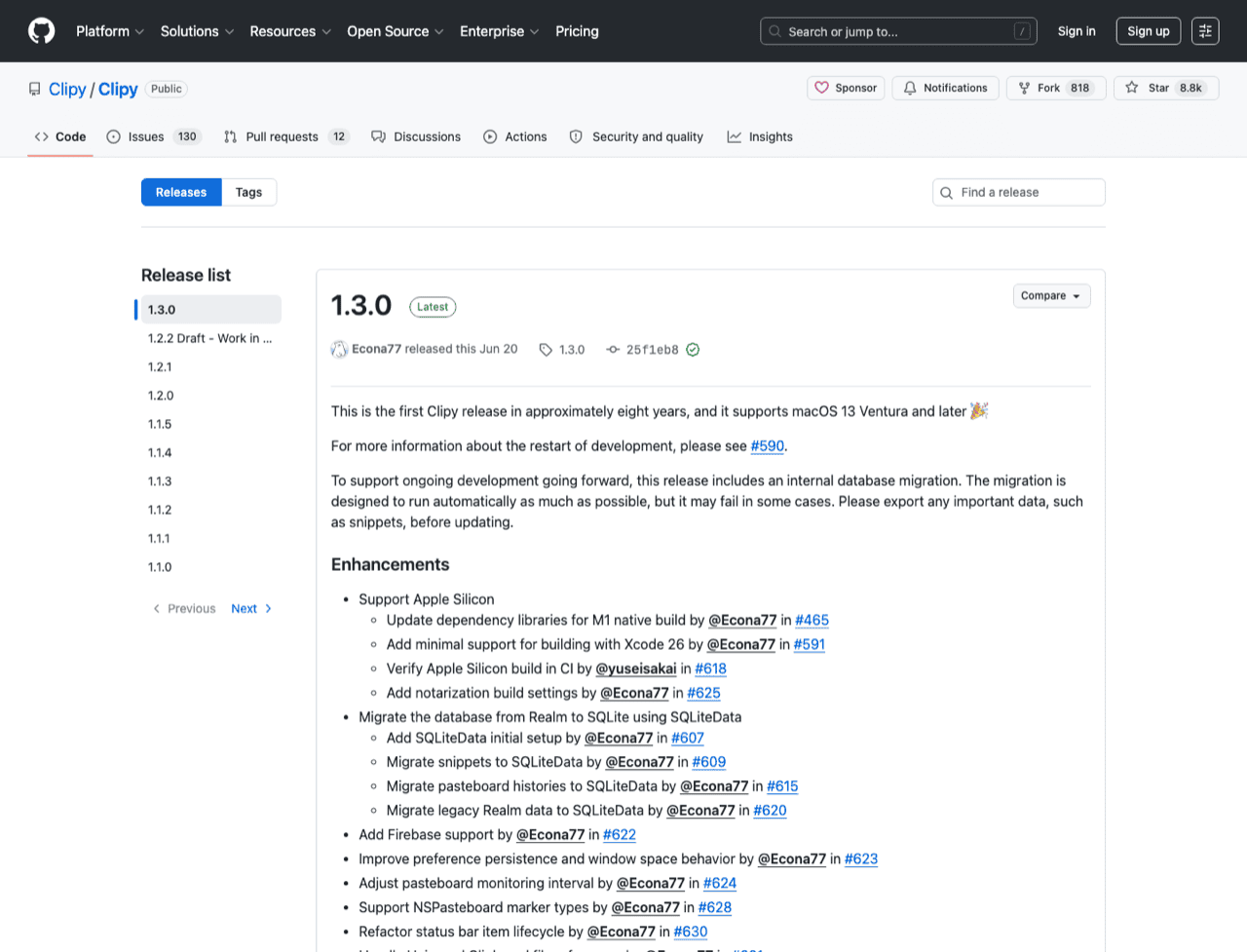
Every listicle still calls Clipy abandoned. The releases say otherwise: 1.2.1 landed on 10 October 2018, then 1.2.2 on 4 June 2026 and 1.3.0 on 20 June 2026. Eight years dormant, then daily commits through July 2026. MIT, 8,797 stars, macOS 13 or later, the only app here that runs on Ventura.
Snippets are its real strength. Folders of boilerplate straight from the menu bar, built in and free. It also stores strings, RTF, RTFD, PDF, file names, URLs, TIFF and PNG, so rich text survives where the built-in history flattens it.
Clipy has no search at all. The repository contains no file matching *Search*, and the interface is a menu-bar menu you scroll. That makes the 30-item default in CPYUtilities.swift a sane choice and the tightest here. Fine for snippets, painful for finding what you copied on Tuesday. More in Clipy alternatives.
CopyClip, for Macs the others left behind
FIPLAB's CopyClip is free on the App Store, version 1.9.86 as of 26 May 2026, 2.5 MB, closed source, and runs back to macOS 10.13. That last number is why it stays on this list. If your Mac cannot move past High Sierra, Mojave or Catalina, nothing else here helps you.
It keeps 80 clips and shows 20 in the menu, both adjustable in Preferences. Text only, by product design rather than free-tier restriction: its own store copy talks about "that snippet of text".
Search lives in the paid version. CopyClip 2 is $7.99 one-time (v3.993, updated 16 June 2026, macOS 11.5+) and adds search, 9,999 clips, pinning with ⇧⌘P, ⌘1-9 paste shortcuts, source-app metadata and per-app exclusion. The $14.99 figure repeated across search results is stale. A search box behind a paywall is the crispest free ceiling here.
Flycut, respect the lineage and start elsewhere
Flycut descends from Jumpcut, is MIT, 1.2 MB, and runs on macOS 10.10 or later. rememberNum defaults to 40 clippings, plain text only, bezel interface on ⇧⌘V. Its password hygiene was ahead of its time: password fields are skipped by default and skipPboardTypesList covers PasswordPboardType, the nspasteboard concealed and transient types, and 1Password's own type.
The dates are the problem. App Store version 1.9.6 was last updated 22 December 2020 and the last repository commit is 23 December 2022, five and a half years without a release. Apple Silicon support is genuinely contested: isapplesiliconready lists Rosetta 2 only, doesitarm claims native, and I have not run a binary on-device, so I state neither. Keep it if it works for you today.
Also free: PasteBar and your launcher
PasteBar is free and open source, on Mac and Windows, with unlimited history, images, files, links and code, and paid Pro for unlimited collections. The strongest genuinely-free claim in the category.
Your launcher counts. If Raycast already opens your apps, its clipboard history costs nothing extra, though the free plan caps retention at 3 months. Same logic for Alfred.
Are free clipboard managers safe?
A clipboard manager reads everything you copy, including the password you pasted into a login form. Free is not the risk factor. Three things are.
Respect for ConcealedType. Password managers mark their copies with org.nspasteboard.ConcealedType. Clipy, Flycut, Apple's built-in and the open-source managers all skip those copies. Per-app exclusion is rarer: CopyClip 2 has one, the built-in has none.
Recent releases. An app that last shipped in 2020 is a different risk category from one that shipped last month, whatever the feature lists say.
Where you download it. Malware sites impersonate popular free Mac apps, so use the developer's own domain or their GitHub releases page. MIT source means the claim is checkable, which is weaker than checked.
Where free runs out
Free clipboard managers are good now. Free stops in five places, and if none of them describe your week you are done reading.
Depth. 40 clippings on Flycut, 30 by default on Clipy, 80 on CopyClip, 8 hours on the built-in. It runs out the day you want the address you copied in March. Klipto's history is unlimited and local.
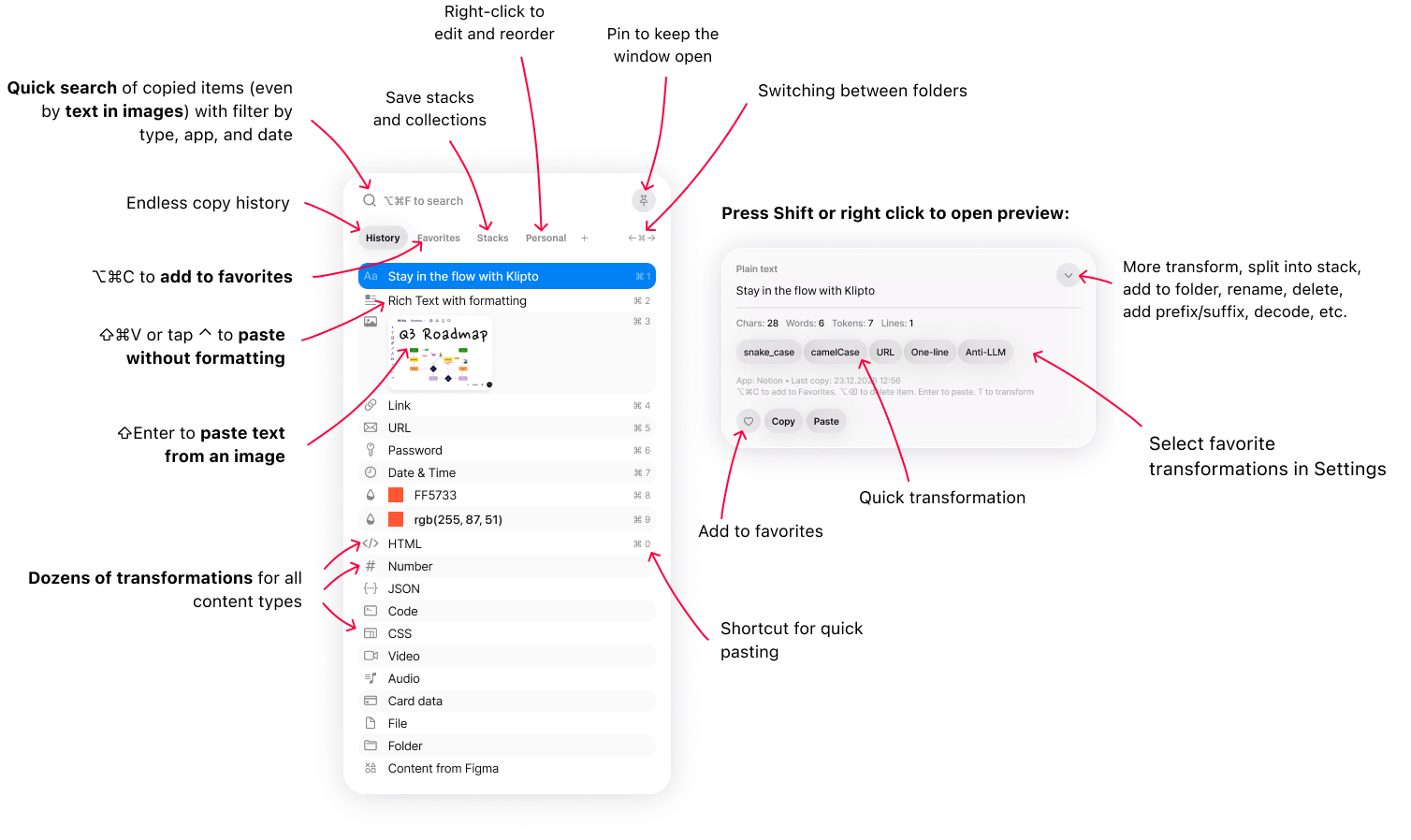
Text inside screenshots. Flycut and CopyClip are text only. Clipy and the built-in store images, and none of them can search the words inside one. Klipto runs OCR on copied images, so you can search text inside images and paste it as text. Several paid managers do OCR now, so this is not ours alone.
Pasting several things in order. Not one free app does this. You get one item and one round trip to the menu per field, which starts to hurt around the twentieth eight-field form. Klipto's Stack collects items and pastes them in order, one keypress each, with an after-paste action such as Tab or Enter to move the cursor along. Designers get Collect, which drags the group into Figma.
Changing the text on the way out. The free inventory here is "paste as plain text" and nothing else. Klipto applies 20+ type-aware transforms at paste time, offline and system-wide. Anti-LLM cleanup takes out em dashes, curly quotes and invisible characters. Colour conversion covers HEX, RGB, HSL, SwiftUI, UIColor, CSS and Tailwind. The rest: JSON pretty-print and minify, JWT and Base64 decode, case conversions, and a live character, word, line and token counter. Klipto detects 22 content types, so the transforms on screen match what you copied.
Maintenance. Paying fixes nothing here. Picking an actively maintained app does, and that excludes Flycut.
Klipto's free tier, stated plainly
The free tier is the hold-to-paste popup with your last 100 copies, plus search with quick filters, five favourites and paste. The preview panel with transforms and translation, the Stack, Text Capture and the History window are Pro. On the single axis this page is about, how much free history the popup shows, 100 puts us ahead of Clipy (30 by default), Flycut (40) and CopyClip (20 shown). PasteBar has no cap at all, and some open-source managers show more out of the box.
Among the paid managers, a permanent free tier of any kind is unusual. Paste has none at all, only a 7-day trial. Raycast's free plan caps retention at 3 months. CleanClip's free tier is 25 uses a day. CopyClip puts search behind the paid version. Ours is permanent and needs no card, no account and no renewal: what it holds back is the paste layer, not the history.
$19.99 one-time buys unlimited searchable local history, OCR inside images, the Stack, 22-type detection with transforms on paste, snippets and folders. Updates included. The 14-day full Pro trial needs no card, there is a 30-day money-back guarantee, and one licence covers all your Macs with no device count.
Our own limits, since this page is about limits: no cross-device sync, no iOS app, not open source, macOS 14 or later, so Ventura is out. The smallest free managers are around 1.6 MB against Klipto's 5 MB download on the same minimum macOS, so "lightweight" is not a word I get to use here.
Which should you pick?
macOS 26 and casual copying: the built-in. ⌘Space, then ⌘4.
Free and open source is your requirement: Clipy leans to snippets and still runs on Ventura, CopyClip reaches back to 10.13, PasteBar adds Windows. Already living in Raycast or Alfred: use the history you have.
You want the paid feature set but not the bill yet: Klipto's free tier is permanent, and the full 14-day Pro trial needs no card.
You paste sequences into forms, clean AI output daily, juggle hex codes, JSON, JWTs and screenshots: that is when paying starts to make sense. Klipto is one answer, and the paid field is compared here, including the apps that beat us on sync.