Download Klipto for macOS
Free for 14 days · no card, no account required

Want a nudge before the trial runs out?
Klipto counts nothing and phones nobody, so the fourteen days end quietly and features stop working without warning. Leave an email and I send two things: a line a couple of days before that happens, and a short note when something worth knowing ships. Reply to either one and it comes straight to me.
No weekly digest, no drip campaign, no "we miss you". One click to unsubscribe, and your address is never passed to anyone.
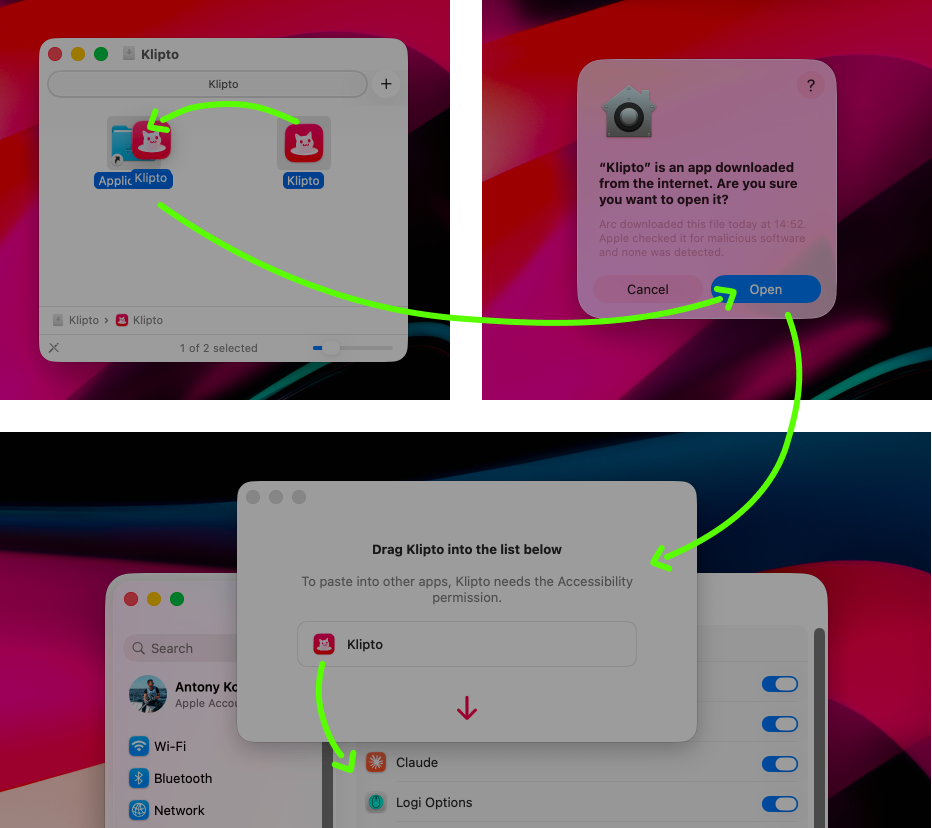
Two drags and one permission. About a minute in total to install.
- Open the .dmg, launch Klipto and click Open. macOS always shows that prompt when you open an app that did not come from the App Store.
- Grant Accessibility access: just drag the Klipto icon into System Settings, so Klipto can use the ⌘V shortcut.
Klipto has no dock icon. It lives in the menu bar, and you call it with ⌥⌘V.
Why Klipto app asks for Accessibility
So Klipto can paste into one app the content you copied in another.
What Klipto never does
- No analytics, no reports, no counters.
- No account, no login, no cloud sync.
- Everything you copy stays on your Mac.
- Klipto uses the network only to check for updates. You can switch that off in Settings.
What's inside
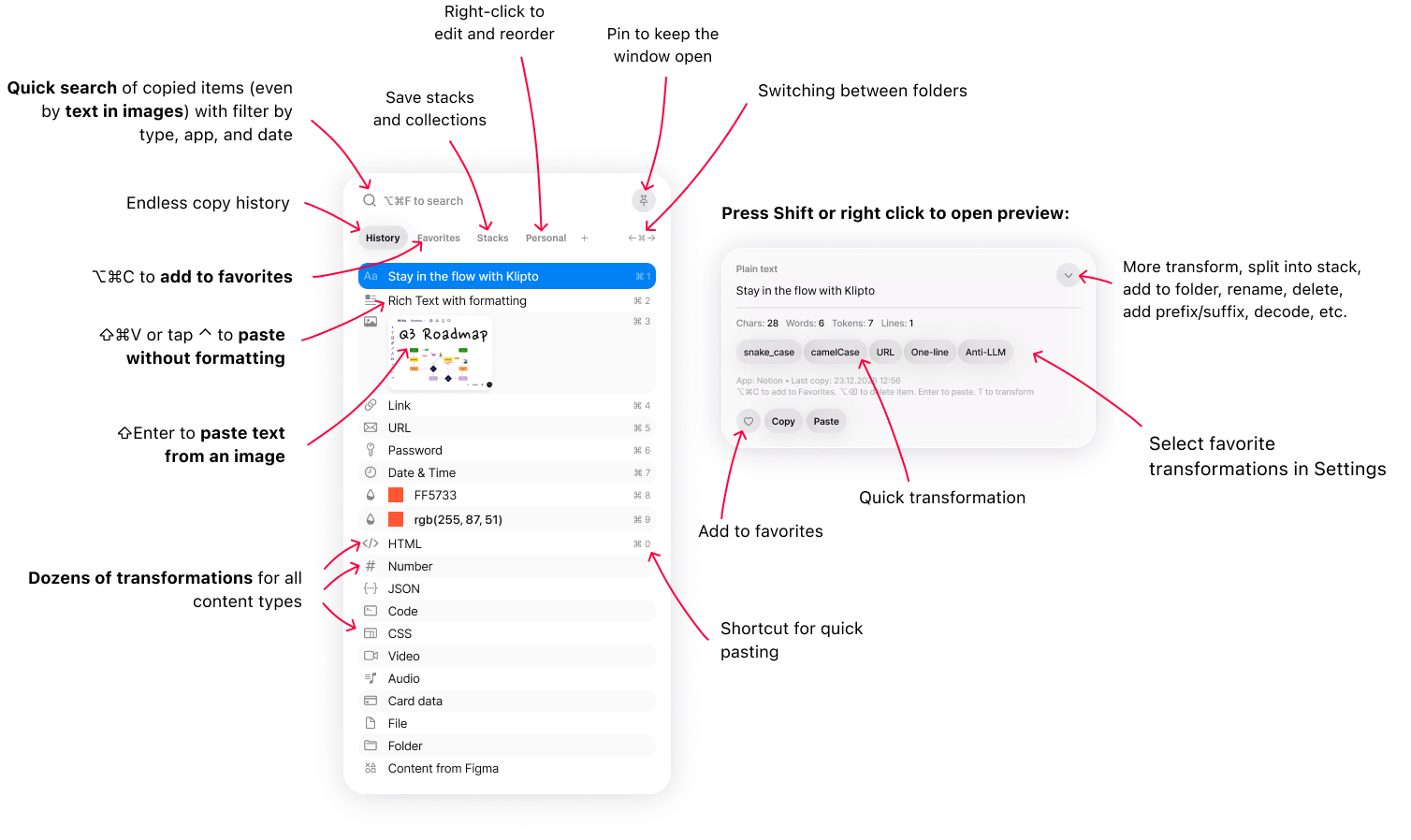
The popup: history and folders, search, and the preview panel where text gets transformed.
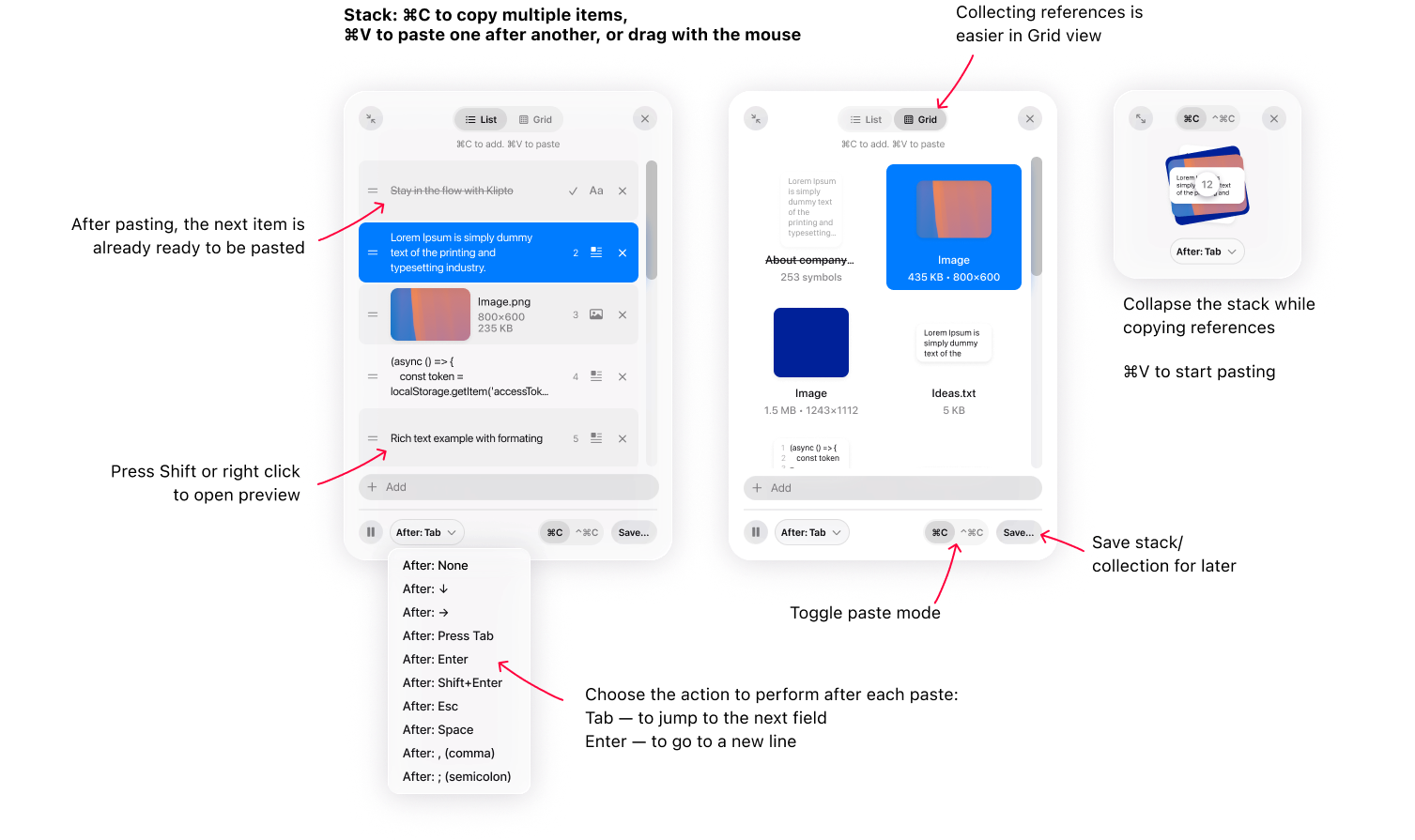
The Stack: collect several things, then paste them one at a time, in order.