
Klipto press kit
The facts
| Name | Klipto |
|---|---|
| What it is | A clipboard manager for macOS. It keeps what you copy, pastes several items in order, changes text on the way out, and reads text off the screen. |
| Platform | macOS 14 or later, Apple Silicon and Intel |
| Current version | 1.4.1, 7.5 MB, release notes |
| First released | 21 July 2026 |
| Price | Free tier with no expiry. Pro is $19.99 once, with a 14-day trial. No subscription. |
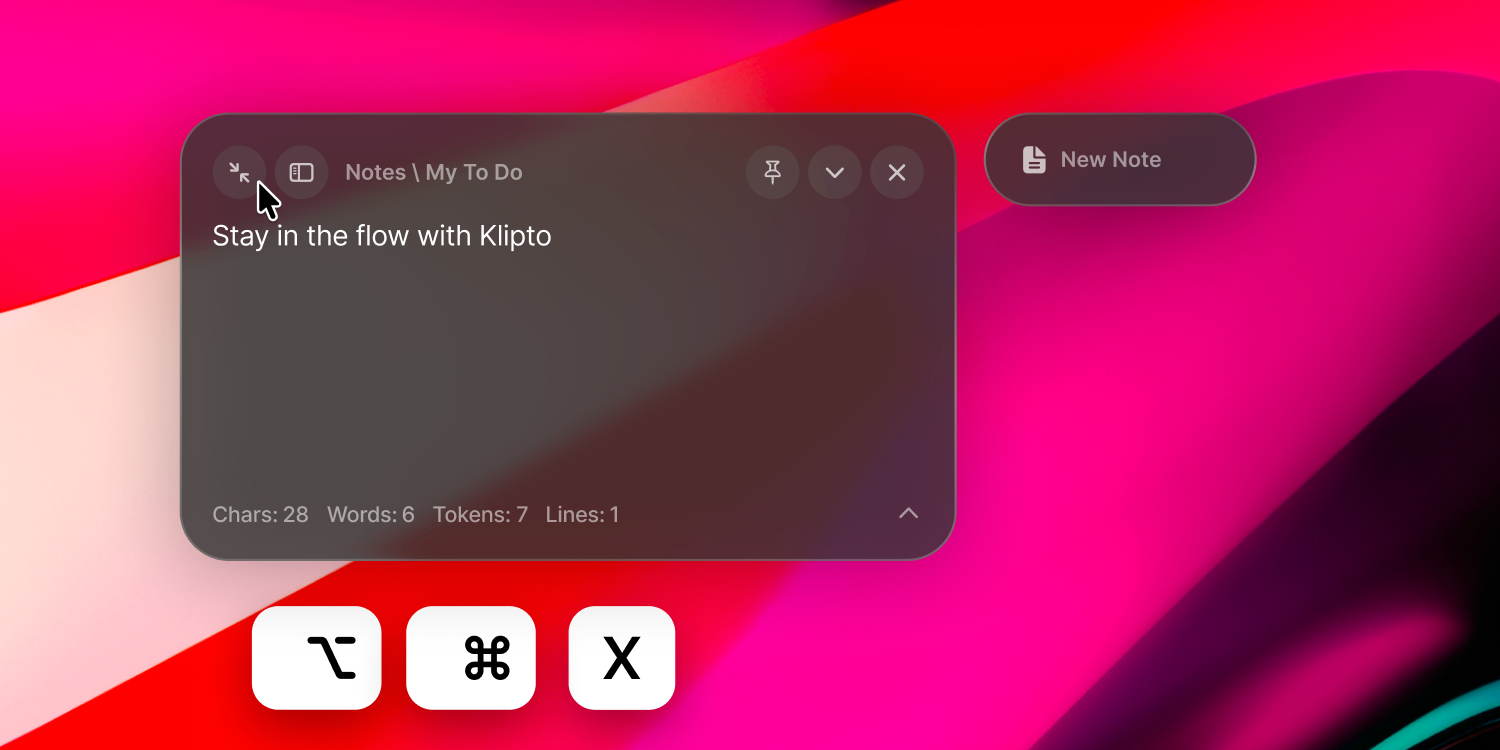
| Free tier | The last 100 copies in the popup, search with filters, five favourites, one note |
| Pro adds | Unlimited history, the Stack, text capture, on-device translation, the transform chips, themes |
| Privacy | Everything stays on the Mac. No account, no sync, no analytics. The only network call is an update check, and it has a switch. |
| Distribution | Direct download, notarized by Apple. Not on the Mac App Store. |
| Developer | Antony Kors, working alone |
| Links | klipto.me · YouTube · X |
| Press contact | [email protected], answered by the person who writes the code |
Description, three lengths
Copy whichever fits. No attribution needed, and you are welcome to edit.
Klipto is a clipboard manager for macOS that remembers what you copy, pastes several items in order, and cleans text up on the way out.
Klipto is a clipboard manager for macOS. It keeps everything you copy and hands it back with a keystroke, pastes a queue of items into a form one field at a time, converts and cleans text as it goes, and pulls text off anything on screen. It runs entirely on your Mac.
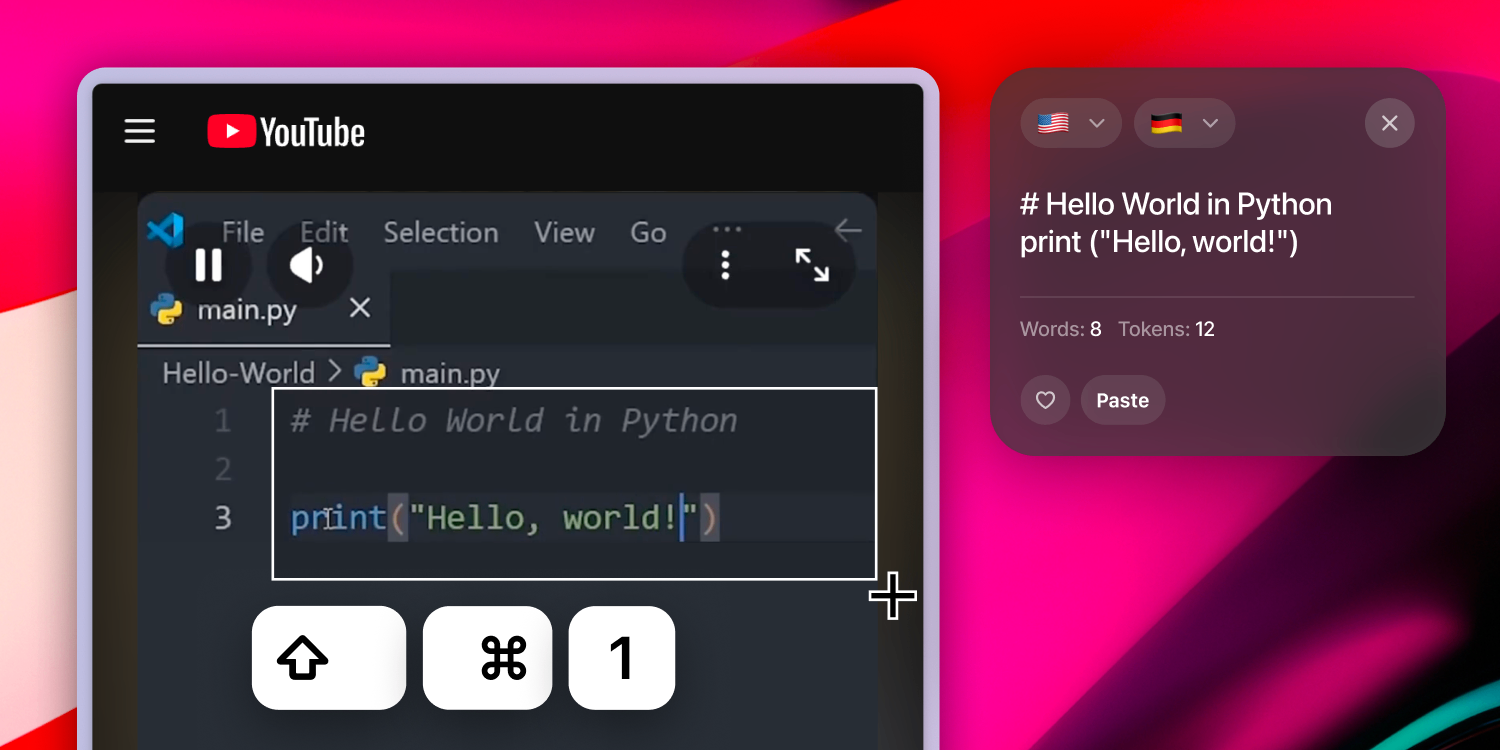
Klipto is a clipboard manager for macOS, built by one developer who copies and pastes a couple of hundred times a day. Holding a shortcut opens the history over whatever app is in front; release, and the item is pasted. The Stack collects several items and pastes them in order, so a form fills field by field without switching windows. The paste preview converts a colour, formats JSON, strips the formatting off a pasted block, or takes the tells out of text a model wrote. A shortcut reads text off any part of the screen and can translate it, both on the machine itself. Nothing is uploaded, there is no account, and the app is $19.99 once with a free tier that does not expire.
The tour
The narrated overview from the homepage. One minute, English narration, sound on the button. Take the file if you want to cut from it.
Download MP4 · MP4 · 1280x720 · 65s · narration, no captions burned in · poster frame
Videos
Short demo clips, no audio, no captions burned in. Play them here or take the file.
Screenshots
1500 by 750, PNG. All of them are in the ZIP at the top of this page.
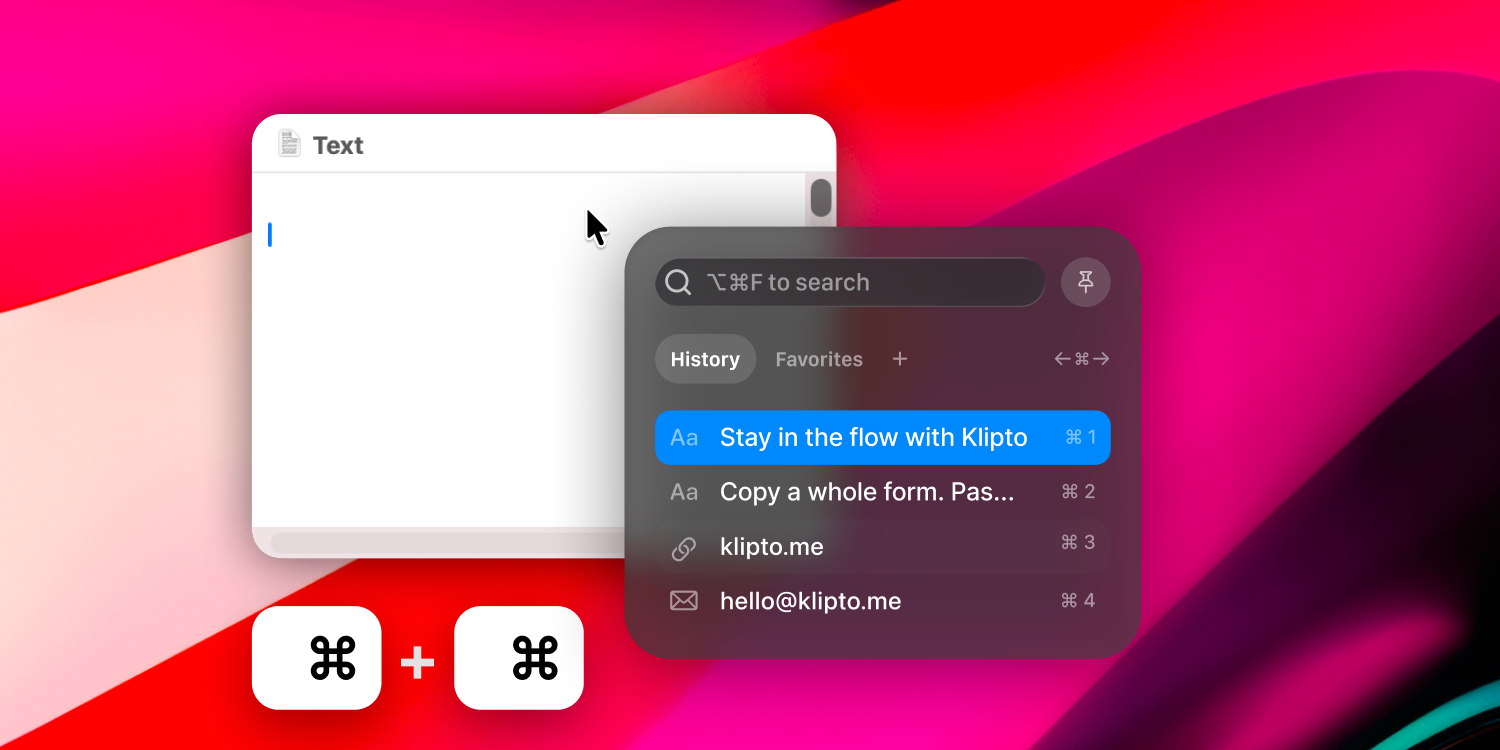
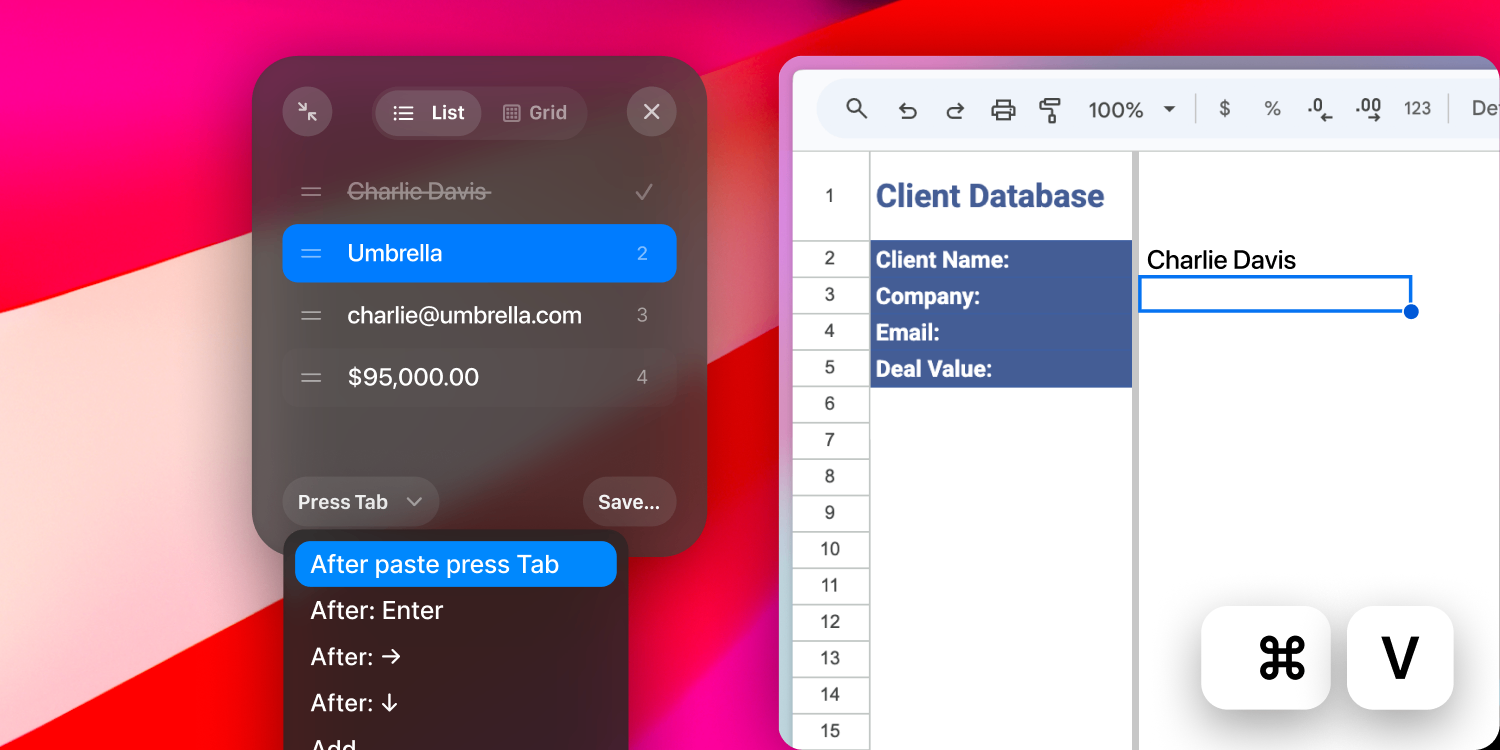
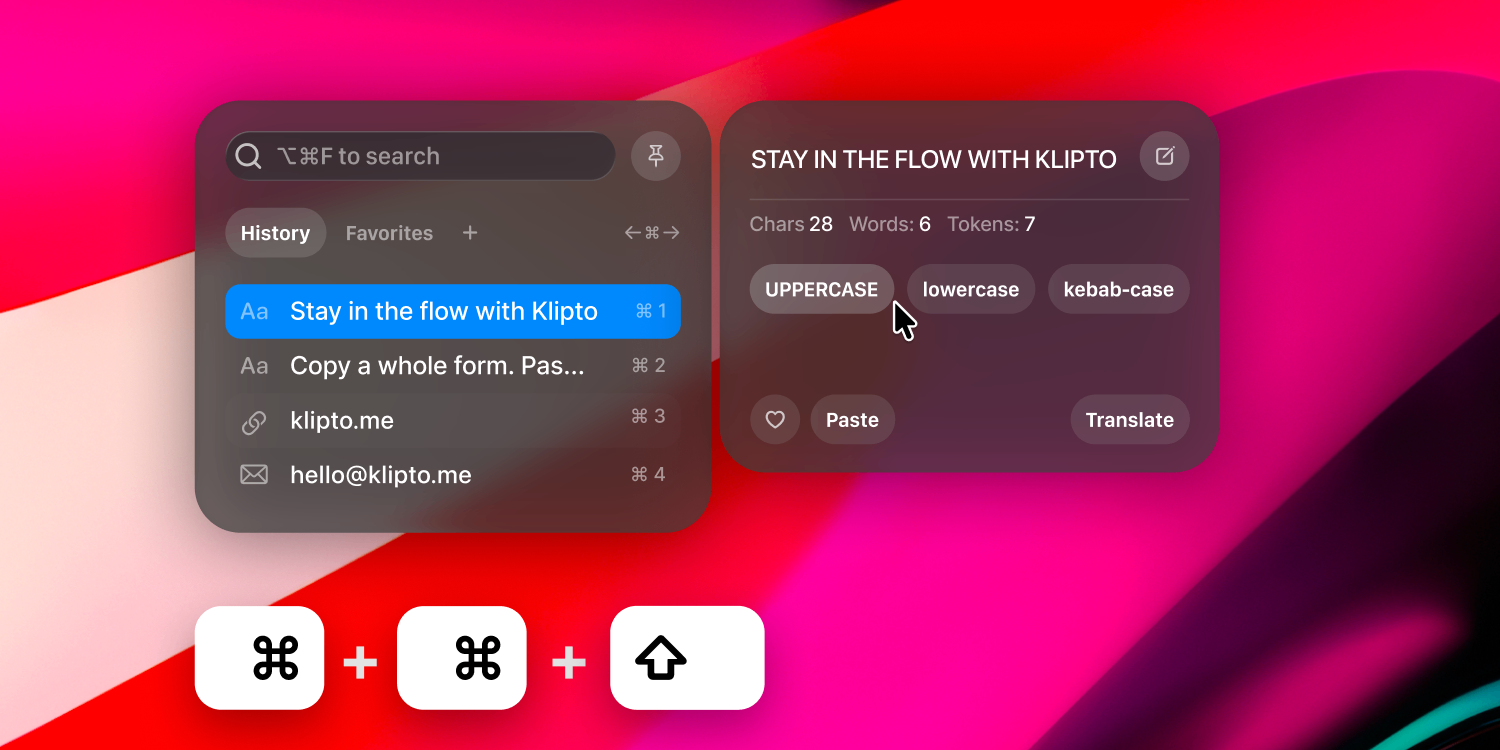
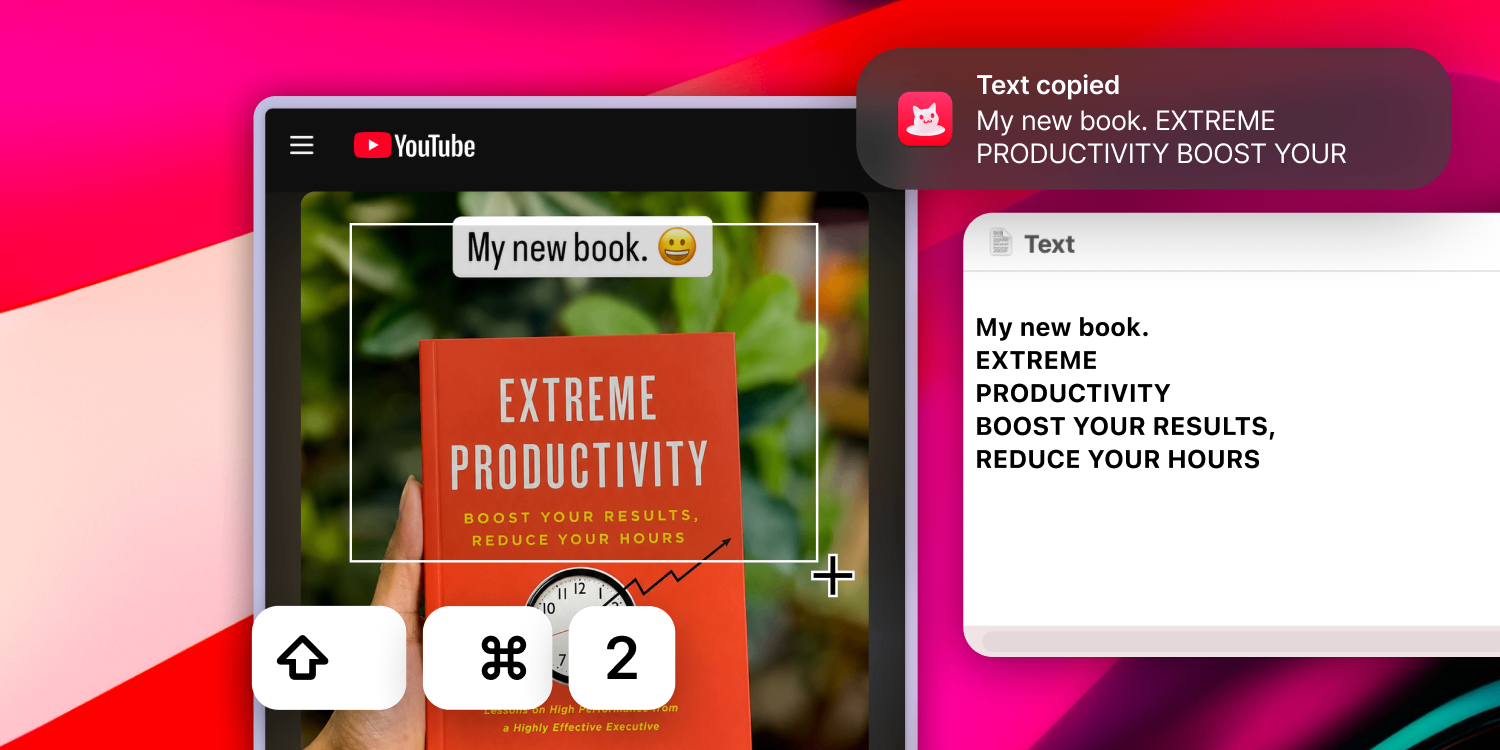
Logo and icon
Transparent background. The SVG scales to anything.



Two requests. Do not stretch it or change its colours, and do not use it in a way that suggests Klipto sponsored or endorsed something.
Using all of this
Everything on this page can be used in articles, reviews, videos and listings about Klipto, without asking first and without a fee. Editing screenshots to fit your layout is fine. Cropping a clip is fine.
If you need something that is not here, a different screen, a longer recording, a specific resolution, or a quote for your piece, write to [email protected] and I will send it the same day.