
No New Tabs, for links that spawn windows
No New Tabs makes links open where you clicked. It strips target="_blank", target="_new" and the non-standard variants sites invent, and it blocks scripts from redirecting your flow into a fresh tab. Install it from the Chrome Web Store. I cannot believe I browsed for years without it.
The annoyance it removes is small and constant. You click a link in a documentation page, a tab appears, you read three lines, and now you have to close it instead of pressing back. Multiply that by a research afternoon and you have thirty orphaned tabs and no idea which one you were reading.
Two details make it usable rather than annoying. Command-click still opens a new tab, so you keep the deliberate version of the behaviour, fixed in version 3.0.1 in January 2025. And it works on sites that load content as you scroll, where links appear after the page is already open.
The clip shows a keyboard-driven Mac utility opening over whatever app has focus, in this case to reuse something copied earlier, then closing again. It is here as a contrast in scope.
A browser extension can only change what happens inside the browser. Anything you want applied in Slack, a terminal and a design tool at the same time has to live at the system level, which is a different install with different permissions.
Use the whitelist rather than uninstalling when something breaks. Some flows genuinely need a second window, sign-in popups among them, and the extension lets you exempt a site or invert the rule so it only acts on the pages you list.
Stylus, for restyling the web apps you are stuck with
Stylus applies your own CSS to any site. Free, GPL-3.0, source at github.com/openstyles/stylus, available for Chrome and Firefox. You write a rule, scope it to a domain, and it runs on every visit. I quietly fix every ugly dashboard I am forced to use: font size up, line height fixed, a table that wastes 40% of the width made full width.
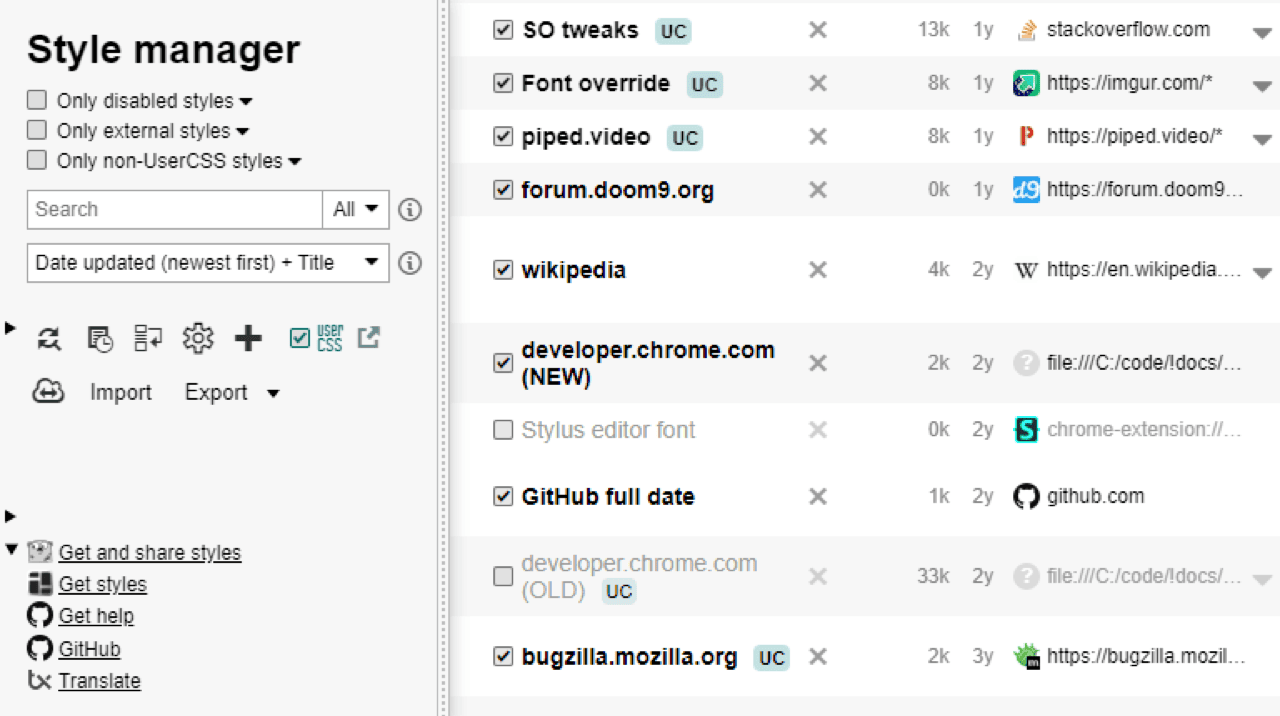
The origin story is the reason I trust it. Stylus was written after the original Stylish extension was sold to a web analytics company, and its authors state that no tracking is its founding rule. An extension that reads every page you visit is exactly where that promise matters.
Beyond hand-written rules, it installs community styles from any plain text URL, auto-updates them, backs up to JSON, and syncs through Dropbox, Google Drive, OneDrive or any WebDAV server. So a dark theme for a tool with no dark mode takes about ten seconds.
Two limits. Your rules break when the site changes its class names, and modern web apps generate class names automatically, so a rule can quietly stop working after a deploy. And CSS only changes appearance. Hiding an element with display: none does not stop the page loading it, and it cannot change what a button does.
Tampermonkey, for changing what a site does
Tampermonkey runs your own JavaScript on pages you choose. Free, from tampermonkey.net. Twenty lines can remove an element that no CSS rule reaches, add a keyboard shortcut a web app forgot, pull a value out of a table, or auto-fill the same three fields you fill every morning. I have used it for years and the scripts I keep are all under fifty lines.
It is the last resort in the good sense. Before writing to support, before building a browser automation, you check whether a small script fixes it. Usually it does.
The setup is now the hard part, and this trips up everyone. Chrome's Manifest V3 requires the userScripts permission plus a second approval: either the "Allow user scripts" toggle on the extension's own settings page in Chrome 138 and later, or Developer Mode. Tampermonkey 5.3 and above expects one of those. Its own bug tracker carries the confusing case where the app says "Developer mode required" while the missing piece is actually the toggle.
Two more things before you install it. Manifest V3 restricts remotely hosted code, so scripts that pull code from elsewhere at runtime can behave differently from how they did on the old platform. And a userscript is arbitrary JavaScript with full access to the pages it matches, which means a script copied from a forum can read anything on those pages. Read what you install, or install nothing. If open source matters to you, Violentmonkey is the alternative to compare.
What you are actually granting
Every extension here asks to read and change data on the sites you visit, and there is no smaller version of that permission that would let them work. What you can control is how many extensions hold it. Mine is three, plus a password manager, and that number has been going down each year.
The risk is not the extension you install today. It is the update you never see. Extensions update silently, ownership changes without notice, and a well-behaved extension with a large user base is a valuable thing to buy. Stylus exists because that happened to Stylish. It has happened repeatedly since, and browser vendors remove such extensions after the fact, which is a slow way to find out.
Three habits make it manageable. Prefer extensions whose source you can read, and where the developer's own site and repository match. Check the permission list against what the thing claims to do, because a link-target fixer has no business asking for your browsing history. And open your extensions page twice a year and remove what you no longer use, since a forgotten extension keeps its permissions for as long as it stays installed.