
Two different bets
Both apps grew out of the same MIT-licensed open-source project; CleanClip's developer has said so publicly.
CleanClip's effort went into one clipboard that follows you across Mac, iPad and iPhone, plus lists you curate. Klipto's went into the moment you paste. Transforms on the way out, 22 content types detected, text inside screenshots searchable, an ordered Stack. One of those bets fits your day better.
Where CleanClip wins
CleanClip is at version 2.4.7 from Nanjing Zui Mei Jia Technology, with docs updated in July 2026. Install it by direct download, Homebrew or the Mac App Store.
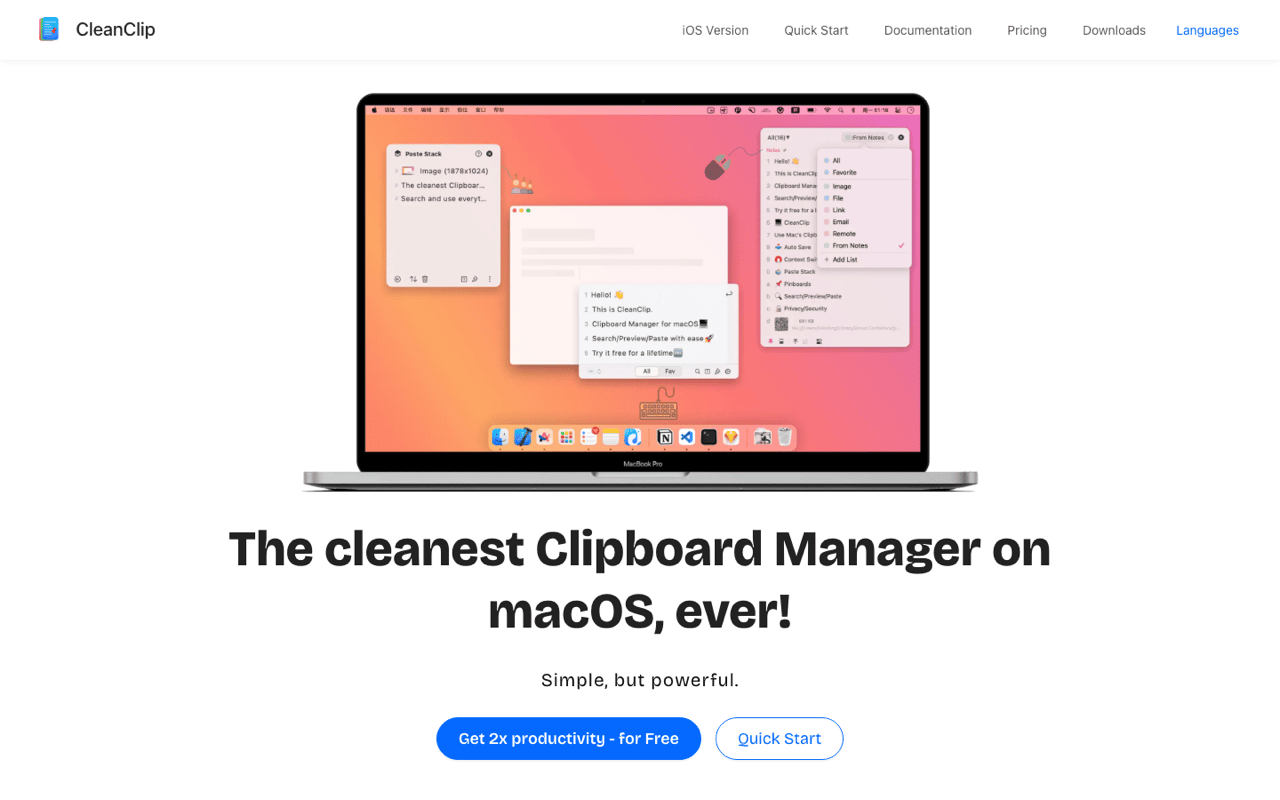
The Quick Menu opens at your cursor. Press ⌘; and the list appears at the text caret. Digits paste, letters search, Space previews, and you can copy a selected fragment. Klipto's hold-to-paste popup is a floating panel. CleanClip's placement is the better design idea of the two.
iCloud sync ships on every paid tier. Mac, iPad and iPhone, with real iOS and iPadOS apps. Several published comparisons say CleanClip has no cross-device sync. That is false, and worth correcting. Sync is where Klipto loses outright.
It runs on older Macs and speaks more languages. macOS 12 and up, 13 recommended, against Klipto's macOS 14 floor. Thirteen interface languages against our five. If your Mac sits on Monterey, this comparison is already over.
Organisation goes deeper than most. Smart Lists file clips by condition, and Collection Lists are unlimited manual bookmarks. Follow Frontmost App scopes history to the app you are in. Klipto's snippets and folders are simpler than that.
The queue features are shipped. Paste Stack opens on ⌘' and collects every copy while open, pasting the next on ⌘V. ⌘⇧C splits a multi-line selection into it. Paste and Press hits a key you name after each paste, so a queue can walk a form.
CleanClip's documentation specifies line breaks for its split shortcut. Klipto also breaks on commas and semicolons, which is what a copied CSV row needs.
Narrow difference, real one. It decides whether a row of fields becomes separate items in one shortcut or a minute of manual cleanup.
CleanClip pricing, decoded
CleanClip runs two pricing models depending on where you buy, and nearly every third-party page quotes a number from neither. Techtippr still lists $12.99.
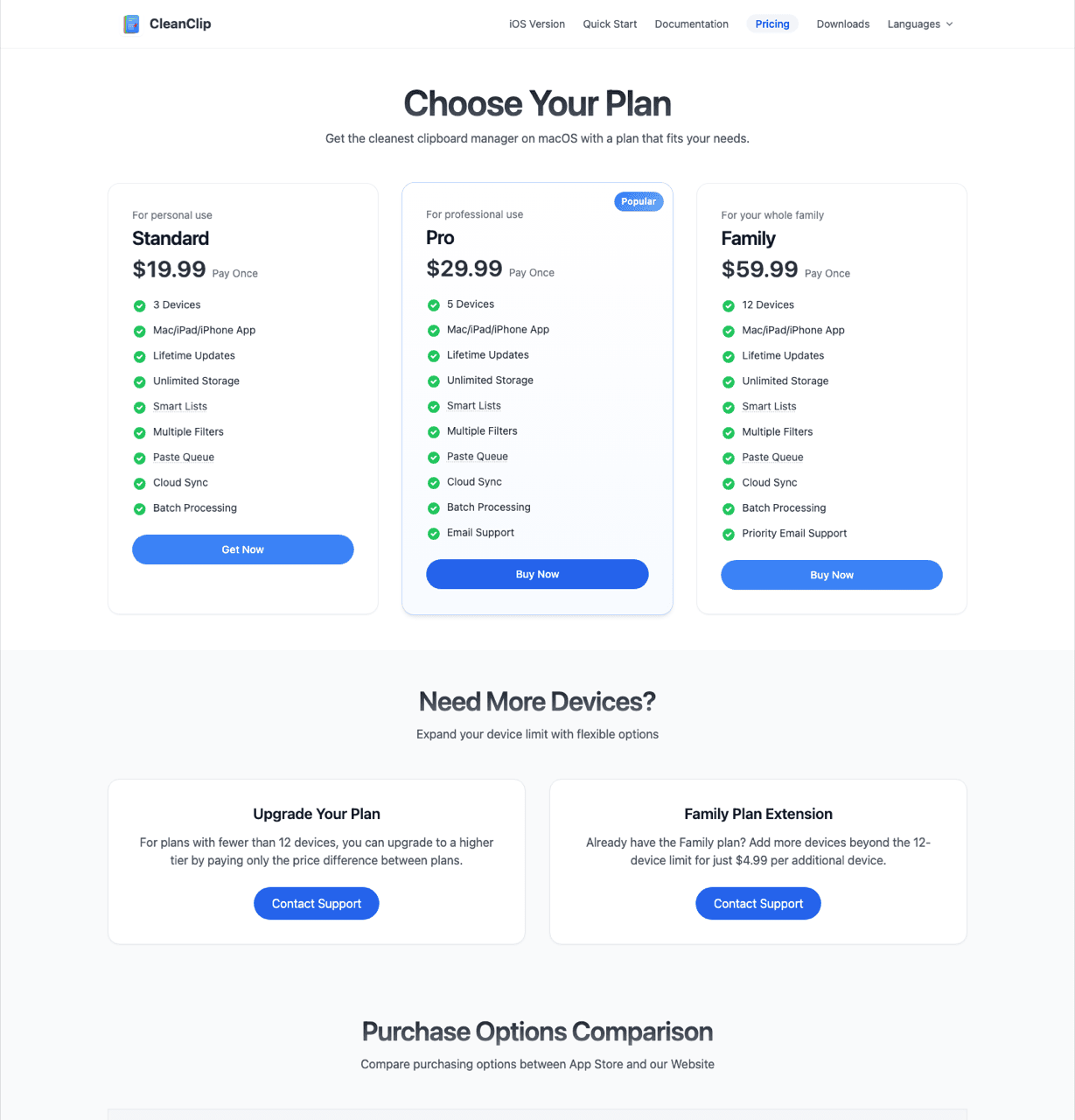
The website is one-time only, priced by device count. Standard is $19.99 for 3 devices, Pro $29.99 for 5, Family $59.99 for 12. Extra devices cost $4.99 each. Every tier includes updates, unlimited storage, Smart Lists, the paste queue and Cloud Sync.
The Mac App Store adds subscriptions. $1.99 a month, $14.99 a year, or $29.99 once. That route covers unlimited devices under one Apple ID and supports Family Sharing, which the website licences do not. Klipto has no family tier, so a household of four has a clear answer and it is not us.
The two channels are not the same build. CleanClip's own comparison says its App Store Mac version cannot pop the Quick Menu at the text cursor. The website build can. So the $29.99 App Store purchase costs $10 more than the entry licence and drops the behaviour I just praised.
The free tier is 25 uses per day. Basic features are unlocked, then the daily counter stops you. Feature-wise that beats Klipto's free tier, which keeps the popup and paste and puts search, preview, the Stack and History behind Pro. A counter can run out by lunchtime; five recent clips never do.
The trial runs 30 days on the website, 14 on the App Store. Klipto's is 14, so slow evaluators get more room from CleanClip.
There are no refunds. From their FAQ: "We currently don't offer refunds, but we provide a free trial." A purchase between $19.99 and $59.99 is final. Klipto carries a 30-day money-back guarantee. CleanClip does discount, though, at roughly half price for students and 30% off for anyone who already bought a competing manager.
Where Klipto is different
Transforms run as the clip leaves. Klipto detects 22 content types and shows only the actions that fit. JSON, code, HTML and CSS, passwords, payment cards, phone numbers, encoded strings such as JWT and Base64, images, links, emails, colours, files and folders are among them. Copy user profile settings, get userProfileSettings. Copy minified JSON, get it pretty-printed. Copy #4A90D9, get RGB, HSL, SwiftUI or Tailwind. Paste out of ChatGPT and Anti-LLM cleanup drops em dashes, smart quotes and invisible Unicode. More than 20 transforms, offline, system-wide. CleanClip's equivalent is paste-format presets plus hex colour.
Screenshots are searchable by the text inside them. OCR search runs on-device. A screenshot of an invoice stays findable by its invoice number. Paste does image text search too, so this is not ours alone. No OCR appears in CleanClip's docs.
The Stack shows you where you are. Ordered multi-paste crosses off items as they go and counts down how many are left. Click item four to restart the sequence there. List, grid and minimised views, and items drag straight into Figma.
The after-paste key list is longer. Klipto can send Tab, Enter, ⇧Enter, Esc, an arrow, a space, or the separators ", " and "; ". CleanClip specifies one key. Split Copy fills the queue on ⌃⌥⌘C.
One licence covers every Mac you own. The key is an offline Ed25519-signed payload with no device count and no expiry. Activation never contacts a server, so it keeps working if the company disappears. CleanClip's $19.99 website tier covers three devices, then $4.99 each.
Nothing leaves the Mac. History lives in a local database, with no account and no cloud service. The app checks the network only for updates. That is also the honest flip side of having no sync.
Side by side
| Klipto | CleanClip | |
|---|---|---|
| Requires | macOS 14+ | macOS 12+ (13+ recommended) |
| iPhone / iPad app | No | Yes |
| Cross-device sync | No, local-first by design | Yes, iCloud across Mac, iPad, iPhone |
| App size | ~5 MB | 18.8 MB |
| Recall UI | Hold-to-paste popup ⌥⌘V | Quick Menu ⌘; at the text cursor |
| Ordered multi-paste | Stack, "N left", strike-through, restart at item N | Paste Stack ⌘', reorder, reverse, jump to # |
| Split a selection | ⌃⌥⌘C by line, comma or semicolon | ⌘⇧C by line breaks |
| Auto-press after paste | Tab / Enter / ⇧Enter / Esc / arrows / space / ", " / "; " | Paste and Press, a specified key |
| On-paste transforms | 20+ across 22 detected content types | Paste-format presets, hex colour |
| OCR search in screenshots | Yes, on-device | Not documented |
| Organisation | Snippets, folders, Favorites | Smart Lists, Collection Lists, Follow Frontmost App |
| Interface languages | 5 | 13 |
| Free tier | 5 recent clips plus paste, no daily cap | All basic features, 25 uses per day |
| Trial | 14 days | 30 days website, 14 days App Store |
| Price | $19.99 once, no device count | Website $19.99 / $29.99 / $59.99 by device tier; App Store $1.99 mo, $14.99 yr, $29.99 once |
| Refund | 30-day money-back | None, trial only |
| Family Sharing | No | Yes, on the App Store |
Who should pick which
CleanClip fits if you paste on more than one Apple device, or you need an older macOS, more interface languages, Family Sharing or curated lists. Its $1.99 month is the cheapest way in this category to test an app properly.
Pick Klipto if your work happens on one Mac and the clip needs work before it lands: JSON, colours, case, encoded strings, AI text with em dashes in it. Also if you fill forms from an ordered queue, or want a licence that covers all your Macs without counting them.
Try Klipto free
Klipto's free tier does not expire. Five recent clips with paste, no card, no account. It keeps recording your full history locally, so buying a licence reveals what was already collected.
The 14-day Pro trial opens everything, and the guarantee runs 30 days. Download Klipto, macOS 14 or later, $19.99 one-time.