
Affinity vs Adobe, from someone who switched

I pay once and own it. That decision has held for real work, with two exceptions.

Affinity is the Photoshop replacement I stuck with. I bought it outright, there is no monthly charge, and it has stayed on my Mac while several other attempts to leave Adobe did not last a month. This is what held up, and the two places where Adobe still wins on merit.

Two things to get out of the way first. Affinity belongs to Canva now, after Canva bought Serif in 2024, and the packaging and pricing have moved since I paid for mine. I am not quoting a figure for either company here, so read the current terms on their own sites and trust those.

Why the switch stuck

Nothing asks me for money on a schedule. That is the honest headline. The software opens, does the work, and never shows me a renewal notice or a plan comparison. For someone who is not billing full time in a design tool, the arithmetic of a subscription never worked out.

It launches fast and stays out of the way. No background updater, no sign-in wall, no separate desktop app whose job is managing the other apps. Photoshop's startup has become a small ritual of its own. Affinity opens and there is a canvas.
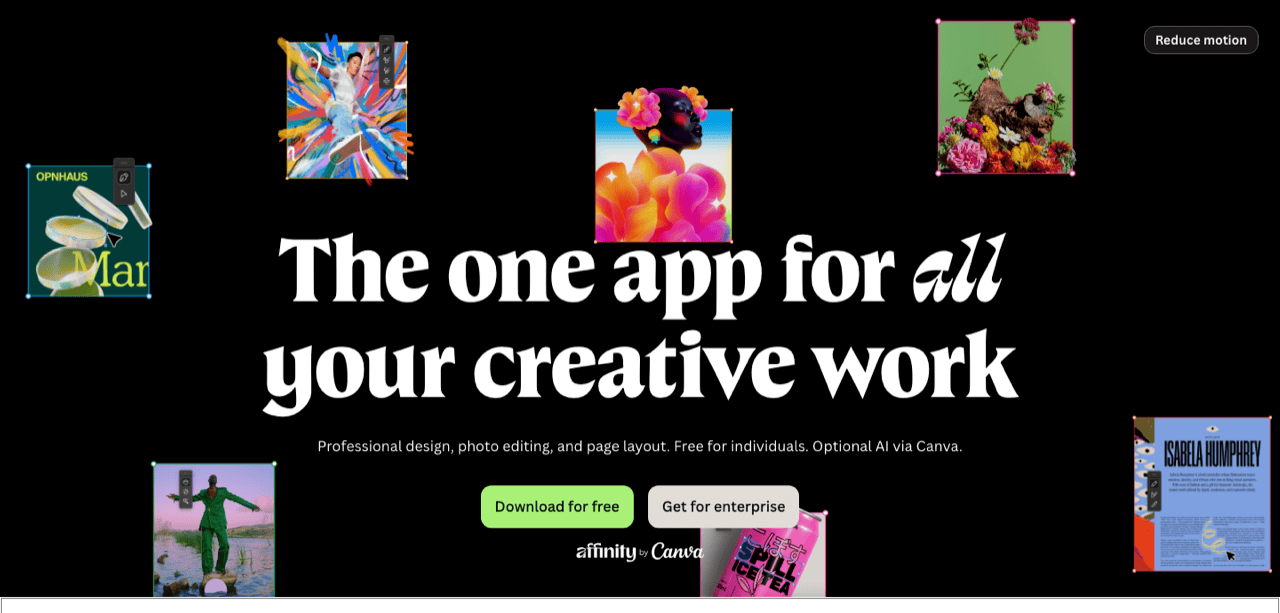
The Affinity suite, now owned by Canva
Source: affinity.serif.com, August 2026.

The three apps share one file. Photo, Designer and Publisher read each other's documents. In current versions you can use another app's tools inside the file already open. No export step sits between raster editing, vector work and layout. That removes a whole category of mistakes.

It is enough for the work I actually do. Cleaning up screenshots, building assets, laying out a page, fixing someone's logo. Nothing in that list needs the deepest Adobe features, and I found that out by doing the work rather than by comparing feature tables.

The parts nobody warns you about

Colour codes spend most of their life as text moving between a design file, a stylesheet and a chat message. That handoff is where the format mismatches happen, and it is the same in both suites.

Your muscle memory is a real cost. Years of Photoshop shortcuts do not transfer cleanly. Affinity's own defaults are close in places and different in others, and for the first weeks you will reach for a key that does something else. You can remap most of it, and I would rather you know that the first fortnight is slower.

The answer to your problem is harder to find. Twenty years of Photoshop tutorials, forum threads and StackExchange answers exist for every obscure task. Affinity's community is active and much smaller. A niche question sometimes returns no result at all. That gap says nothing about software quality. It counts how many people have already been stuck where you are.

Ownership changed under it. Canva now decides the roadmap. That may be good for the product and it removes the argument that Affinity is a small independent bet, and it means the terms you buy under today are Canva's terms, not Serif's.

Meet Klipto

Klipto is priced the same way.

$19.99 once, updates included, no subscription. A native macOS clipboard manager that works offline.

See what Klipto does

Where Adobe still wins

File interchange with everyone else. PSD, AI and INDD are what the industry actually passes around. Affinity opens PSD well enough for most jobs. AI files it handles unevenly. A native InDesign document it cannot open at all. IDML import exists in recent Publisher versions and it is not lossless. So a magazine layout arriving from a client is a genuine problem, not an inconvenience.

Round-tripping is worse than opening. Export a PSD out of Affinity and the layer structure a Photoshop user receives is not the one you built. Smart objects, adjustment layers and layer effects do not all survive the trip. Text can reflow. If your deliverable is a layered file another designer edits in Adobe, Affinity is the wrong tool, and no setting fixes it.

Some print workflows. Affinity exports proper PDF/X and handles CMYK, spot colours and bleed, so straightforward print jobs go through fine. The friction starts where a printer or an agency has a checklist written around Adobe. Their preflight profile, their packaged-file expectation, their instruction to send the InDesign folder. You can often talk your way past it. Sometimes you cannot. Losing a job over a file format is an expensive way to save a subscription.

Everything that is not image editing. Lightroom's catalogue. After Effects. Acrobat Pro's preflight and redaction. Camera Raw's depth, the generative features, shared team libraries, font sync. Affinity does not attempt most of that. Need three of them and you are keeping the subscription, whatever your image editor is.

The pricing question, honestly

Pay-once against subscription is not only about total cost. Buying outright means the version you have keeps working when you stop paying attention, and a subscription means the tool stops when the card fails. That asymmetry is why I lean towards owning software, in design tools and in small utilities alike.

The counter-argument deserves stating. Subscriptions fund continuous development, and a one-time purchase has to be re-sold every few years for the developer to eat, usually as a paid major upgrade. Anyone promising you a single payment and eternal development is either new or not being straight with you.

What I do not have is a confident answer about heavy client work. I have asked publicly whether anyone fully replaced their Adobe subscription with Affinity on real paying projects, and the answers I get are split by the kind of work people do. Designers who deliver flat files are happy. People who hand over editable Adobe documents to other Adobe users are not. Where you sit on that line decides this for you more than any feature comparison will.

Frequently asked questions

Can Affinity fully replace Photoshop?

For image editing, asset production and layout, usually yes. It does not replace Lightroom, After Effects or Acrobat Pro, and it cannot hand a fully editable layered file back to a Photoshop user without losses.

Does Affinity open PSD and AI files?

PSD support is good for most files, AI support is uneven, and native InDesign documents cannot be opened. Recent Publisher versions import IDML with some loss.

Is Affinity a subscription?

Affinity has been sold as an outright purchase rather than a subscription. Canva owns it now and the packaging has changed, so check the current terms on Affinity's own site before you rely on that.

Should I cancel Creative Cloud?

Only if your deliverables are finished files. If clients or teammates need editable Adobe documents, or you depend on Lightroom, After Effects or Acrobat Pro, keep it.

Get Klipto for Mac

Free for 14 days · no card, no account required · 5 MB

Download Klipto