
Free and open-source Mac apps that hold up

Every app here is free from its own repository, not a trial that expires.

Eight free Mac apps, all of them open source, all downloadable from their own repository or Homebrew. No trials, no accounts, no expiring licence. Two have optional paid Pro versions, and I will say so where that applies, because the free build being complete is the whole point of the list.

Open source is not automatically better software. What it does buy you is a repair route. When the developer moves on, someone else can pick the project up, and Mac history shows that happening again and again.

Windows and the menu bar

Rectangle snaps windows with the keyboard. Free and open source at github.com/rxhanson/Rectangle, with builds on rectangleapp.com, and it runs on macOS 10.15 or later. Half screen, quarters, thirds, maximise, centre, all on shortcuts you can rebind. Drag a window to a screen edge and it snaps there too.
macOS 15 added its own window tiling, and for simple halves it is now fine. Rectangle still wins on shortcut coverage and on the sizes Apple did not include. Rectangle Pro is the paid version, ten days free, and it adds faster snapping and custom shortcuts for any size or position. The free app is not a demo of it.

AltTab gives you a real window switcher. github.com/lwouis/alt-tab-macos, GPL-3.0. It shows every window as a thumbnail, across apps and spaces, and lets you close or minimise from the switcher. The built-in ⌘Tab switches apps, not windows, which is why five Finder windows behave as one item and you end up hunting.
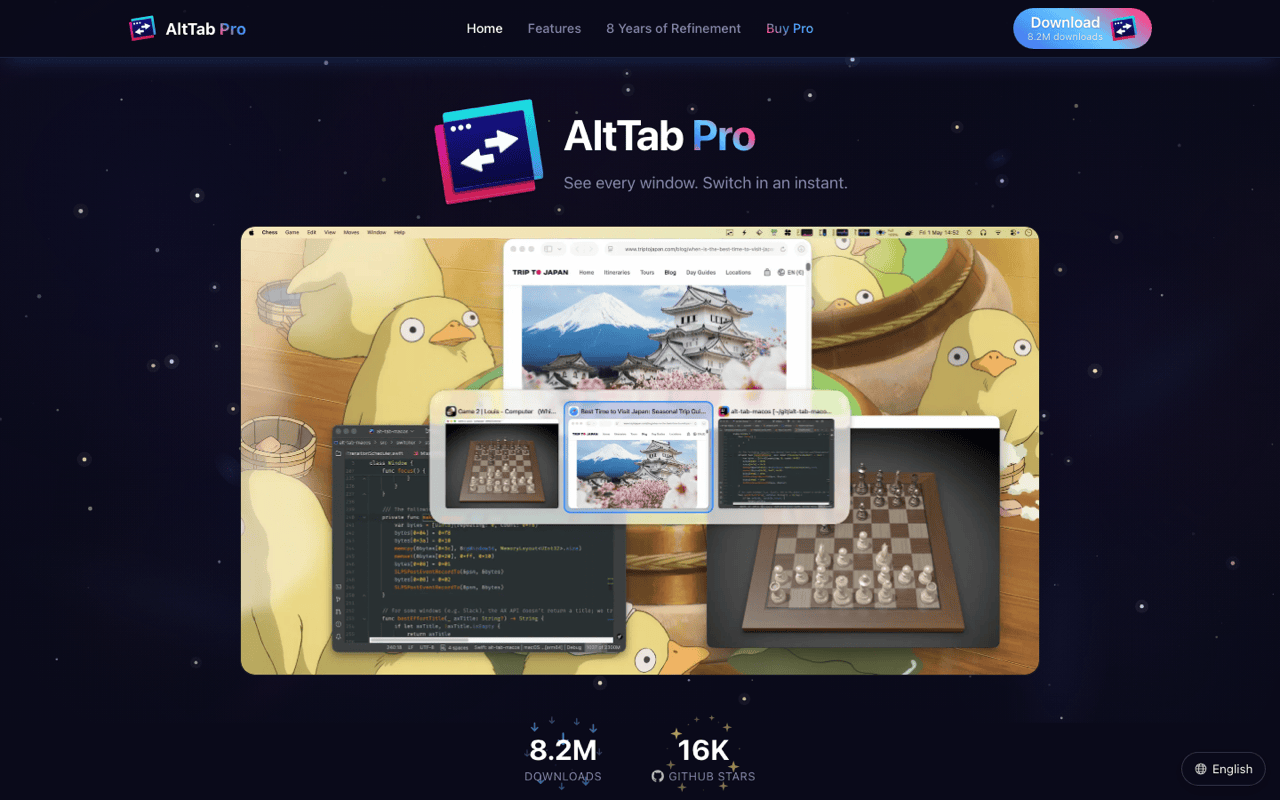
The project now has a paid Pro tier at alt-tab.app that adds search, extra styles and more shortcuts, on a 14-day trial. Core switching stays free and open source. Worth knowing before you install: the maintainer has publicly asked for someone to take the project over, which is the risk of one-person software stated out loud rather than hidden.

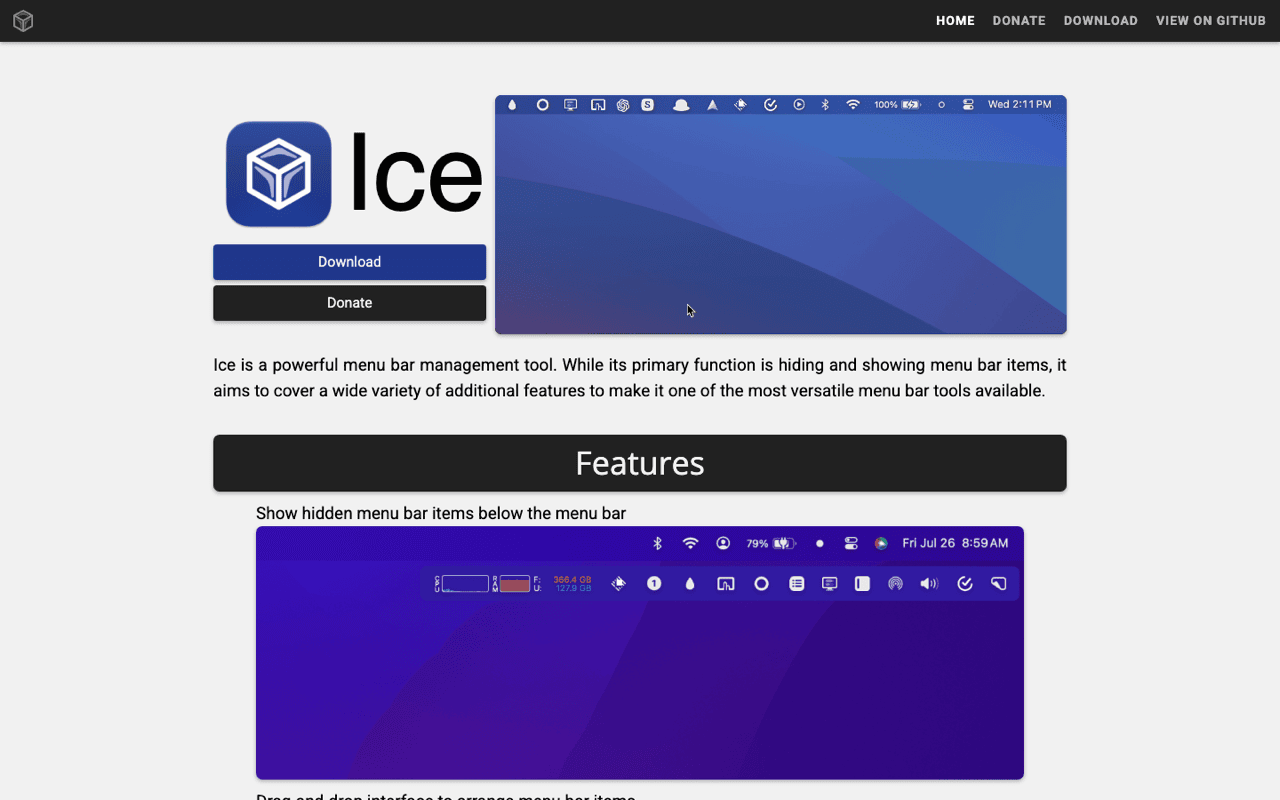
Ice manages the menu bar itself, free at github.com/jordanbaird/Ice, with a visible section, a hidden section and per-item rules. Thaw is the GPL-3.0 fork that appeared when Ice looked stalled. Ice is still getting issues answered, so check both commit histories and install whichever is moving. Neither has reached 1.0, and menu bar tools break first on a new macOS.
Maccy, for the clipboard

Maccy is the free clipboard history I recommend without hesitation. MIT licensed, written by Alex Rodionov, from maccy.app or github.com/p0deje/Maccy, or brew install maccy. The build is 1.6 MB. It stores text, images and files, has exact and fuzzy search, pinning, and a per-app ignore list. I used it for years and liked it enough to keep recommending it while selling a paid competitor.

The clip shows a clipboard history being searched and filtered by date, by source app and by content type, then one item being pasted. Filtering is the part that only starts to matter after a few thousand items, which is past where most free histories are capped.

Storage location decides the privacy question more than any feature does. A local database on your own disk behaves differently from a synced one, and it is the first thing to check in any clipboard app, mine included.

Two limits are worth knowing. Maccy holds a maximum of 999 items, with 200 as the default, and the number gets misreported as unlimited all over the web. And it pastes one item at a time with no changes on the way out. Klipto began on Maccy's MIT-licensed core and has gone its own way since, with staged multi-paste, transforms and text search inside images.

One warning about downloads. Maccy's own README says sites using its name, maccyapp.com and maccyapp.net among them, ship malware dressed as Maccy. Use maccy.app, the GitHub releases page or Homebrew, and nothing else.

Watching the hardware

Stats is the open-source system monitor, free at github.com/exelban/stats, macOS 12 or later. CPU, GPU, memory, disk, network, sensors and battery, each as a separate menu bar module you configure or switch off. Its README notes that the Sensors and Bluetooth modules are the least efficient, and disabling them can cut its own CPU and power use by up to half. Enable what you read and nothing else.

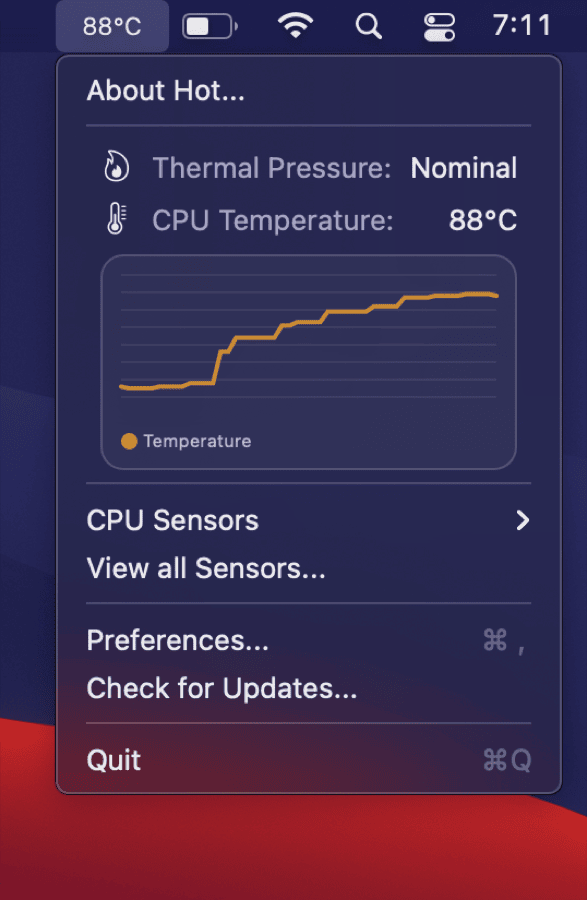
Hot reports thermal throttling from github.com/macmade/Hot, MIT, universal. Intel Macs get a temperature and a speed-limit percentage. Apple Silicon gets a thermal pressure state, so no degrees. It told me my MacBook needed its dust cleaned out, and that is the extent of what it does. Reporting only, no fan control.

Playing video and showing keystrokes

IINA is the native Mac video player. Written in Swift, GPL-3.0, built on mpv, from iina.io and github.com/iina/iina. Version 1.4.4 landed on 24 June 2026. It plays what mpv plays, which is close to everything, inside an interface that behaves the way Mac apps behave. Picture-in-picture, dark mode, trackpad gestures, no toolbar from 2009.

The download is around 104 MB, because mpv and its codecs come along. Releases are also infrequent, so if you need a bug fixed this month, VLC's release cadence is faster and its network protocol support is broader.

KeyCastr shows your keystrokes on screen, free at github.com/keycastr/keycastr. It exists for recordings, demos and screen-shared teaching, where a shortcut is otherwise invisible. It needs Accessibility approval, and it displays everything you type, so exclude sensitive apps in its settings and quit it before typing a password on a call.

Where free stops working

Free and open source says nothing about maintenance. AltTab's maintainer has asked for a successor, Hidden Bar sat still until a fork picked it up, and Ice produced a fork out of the same anxiety. Before installing anything from a list, mine included, open the repository and look at the date of the last commit. That one check is worth more than any review.

The second gap is support. When a free app breaks after a macOS update, the route is a GitHub issue and someone's spare evening. If your work stops until a bug is fixed, that is a real reason to pay for something with a person answering email. I sell software, so treat that as an interested opinion, and it is still true.

The third is the Pro pattern showing up here twice. Rectangle and AltTab both have paid tiers now, and both free versions still do the core job completely. Read what the paid tier actually adds before assuming the free build is crippled. In these two cases it is not.

Frequently asked questions

What is the best free clipboard manager for Mac?

Maccy. MIT licensed, 1.6 MB, stores text, images and files, fast search, and free from GitHub or Homebrew. The limit is 999 items, and 200 is the default.

Is the App Store version of Maccy the same app?

Yes. The paid App Store listing exists so people can support the work. The GitHub and Homebrew builds are the same app for nothing.

Do free window managers still make sense on macOS 15 and later?

For simple halves, the built-in tiling is enough. Rectangle earns its place with rebindable shortcuts for thirds, quarters, centring and sizes Apple left out.

How do I know an open-source Mac app is safe?

Download from the project's own repository or Homebrew, check that the build is signed and notarised, and look for a recent commit. Copycat sites using a well-known app's name are a real distribution channel for malware.

Get Klipto for Mac

Free for 14 days · no card, no account required · 5 MB

Download Klipto