The menu bar apps I actually keep installed

My bar reaches the notch, so every one of these had to earn its slot.

Six apps live in my menu bar, and five of them are free and open source. This is the list I would rebuild on a new Mac, with the reason each one survived. My bar reaches the notch, so anything that does not justify the space gets deleted.

One shared risk first. These utilities depend on how the system bar behaves internally, so a macOS release breaks them before it breaks your other apps. Check a project's recent commits before you install it, not a review from two years ago.

Managing the bar itself

Ice hides the icons you do not need to look at. Free and open source at github.com/jordanbaird/Ice. It splits the bar into a visible section and a hidden one, and you choose what goes where per item. I moved to it after Bartender changed owners without telling anyone. The sale to Applause Group surfaced in June 2024 because a signing certificate changed, and analytics had appeared in the app by then (MacRumors).
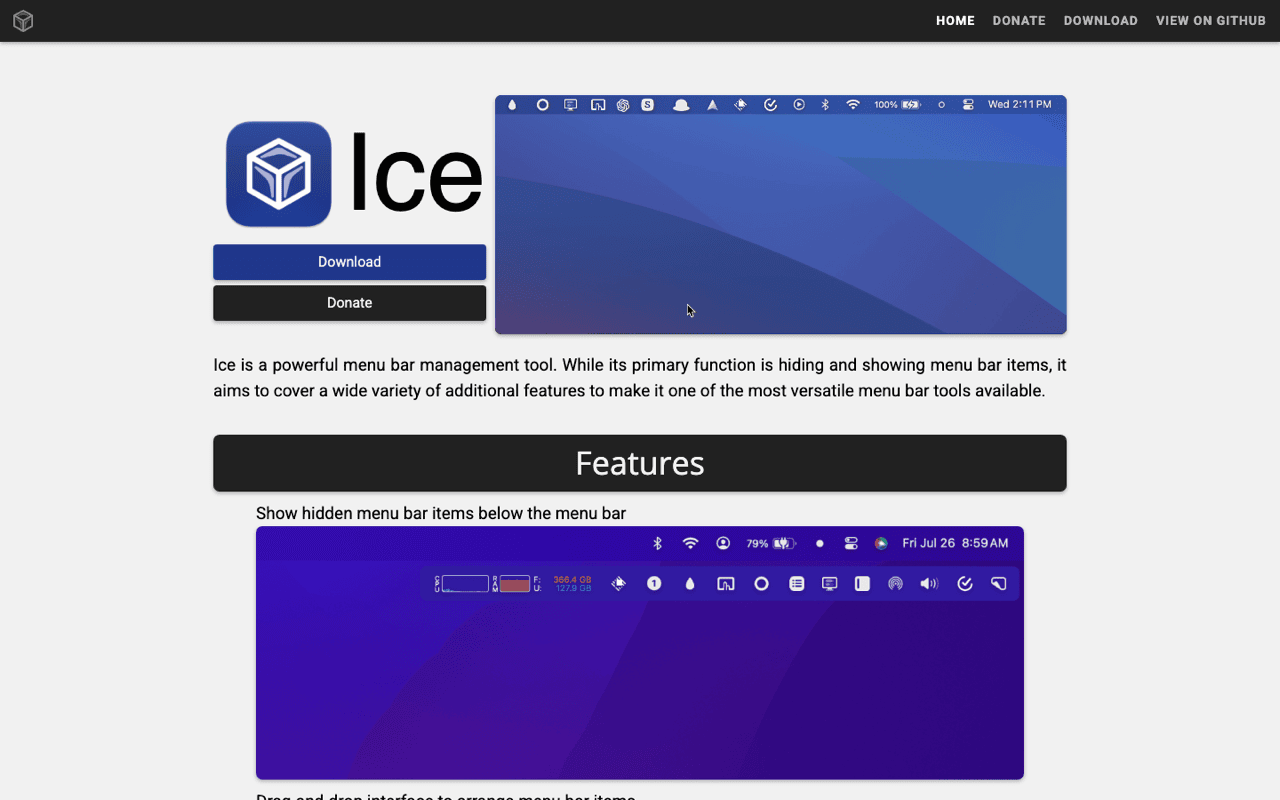
Ice has not reached version 1.0 yet, and that shows during a macOS transition. The Tahoe cycle needed a run of dev builds before the bar settled down. If you want a version number that promises stability, this category will disappoint you.

Thaw is the fork that came out of the waiting. github.com/thaw-app/Thaw, GPL-3.0, signed and notarised, and its README says plainly that it exists because the original looked inactive. That is the part I like about small Mac software. Someone picks the work up instead of writing a farewell post.

One correction, because the forums get it wrong. Ice is not abandoned: its issue tracker had bugs filed and answered in August 2026. Open both repositories, look at the commit dates, install whichever one is moving this month.

The clip shows the Mac app I work on myself, opened from a keyboard shortcut over whatever app has focus, then closed again. It has a menu bar item for the same reason everything on this page does: a utility with no windows needs somewhere to live.

Two costs come with the whole category. Every icon is a background process that keeps running whether it is visible or hidden, and anything that reads or moves another app's state has to ask for Accessibility permission in System Settings under Privacy & Security.

Hidden Bar does a tenth of what Ice does. Free and open source at github.com/dwarvesf/hidden. You drag a separator into position, and everything to the left of it collapses behind an arrow. No rules, no profiles, nothing to configure.

The problem is not the small feature set. Upstream has gone quiet: the release notes stop at Monterey, and there is an open issue about macOS 15 support. A fork called hidden-revived merges community fixes and keeps it building. On a current macOS I would still start with Ice or Thaw.
Knowing what the machine is doing

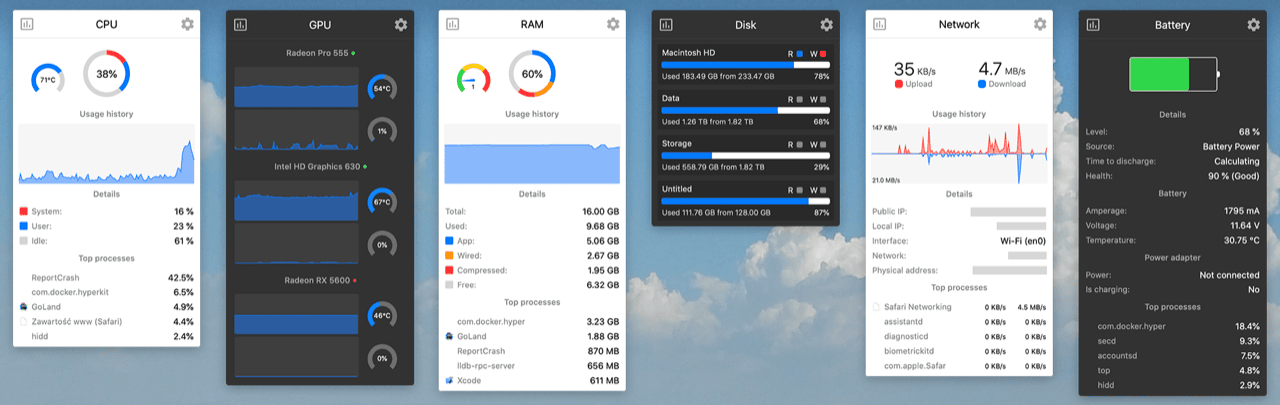
Stats is the open-source answer to iStat Menus. Free at github.com/exelban/stats, also in Homebrew as the stats cask, and it needs macOS 12 or later. CPU, GPU, memory, disk, network, sensors and battery each get their own module, and you decide which ones appear in the bar and what they look like.

Its own README carries the limitation, which I respect. The Sensors and Bluetooth modules are the least efficient ones, and switching them off can cut the app's CPU use and power draw by up to half. So configure it down to the two or three numbers you genuinely read. Fan control is described as legacy and gets no fixes.

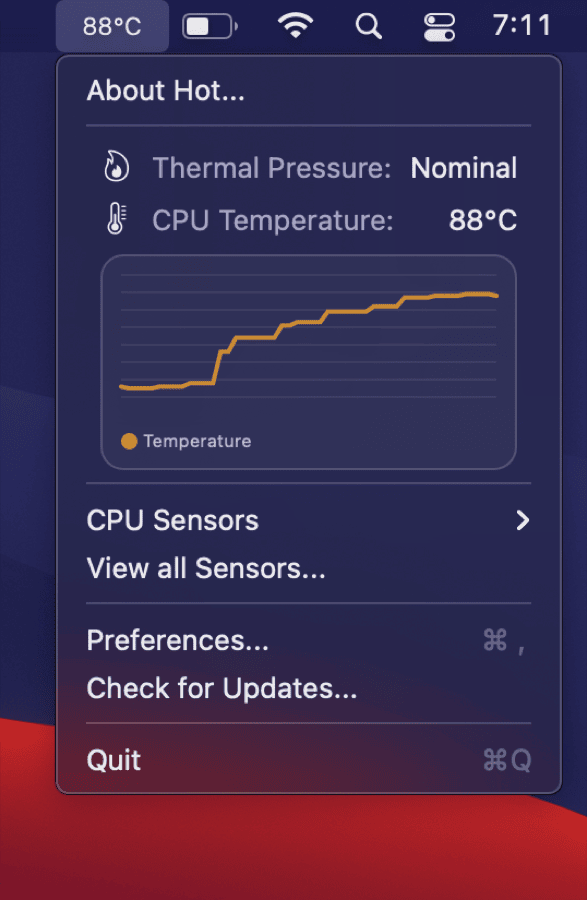
Hot answers exactly one question: is heat holding the CPU back. github.com/macmade/Hot, MIT, universal binary. On Intel it shows the temperature, the speed limit and the scheduler limit, and the text turns orange when the speed limit drops under 60%. On Apple Silicon it reports thermal pressure instead. It reminded me my MacBook was overdue for a dust blowout, which loud fans alone never quite prove.

Hot reports and stops there. It has no fan control, no way to move heat, and on Apple Silicon you get a pressure state rather than a temperature reading. If you want a number in degrees on an M-series Mac, use Stats and its sensor modules.

The two smallest ones

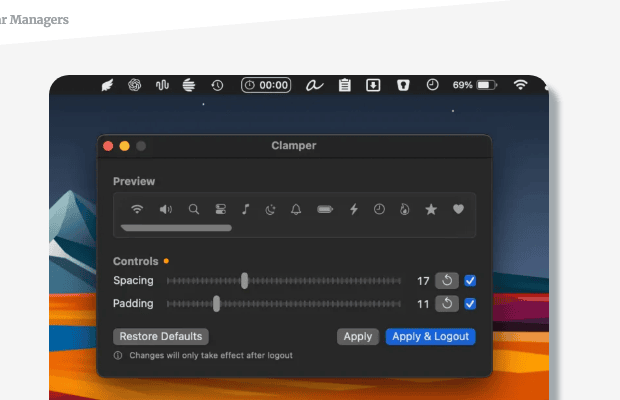
Clamper buys back horizontal space. Free, MIT, github.com/validatedev/Clamper. It controls the spacing between menu bar icons and the selection padding around them, with a live preview strip and haptic feedback while you drag. Tighten both and several more icons fit before the notch swallows them.

Making room is the entire job. If you run a dozen utilities, no spacing setting saves you, so Clamper works alongside a bar manager rather than instead of one.

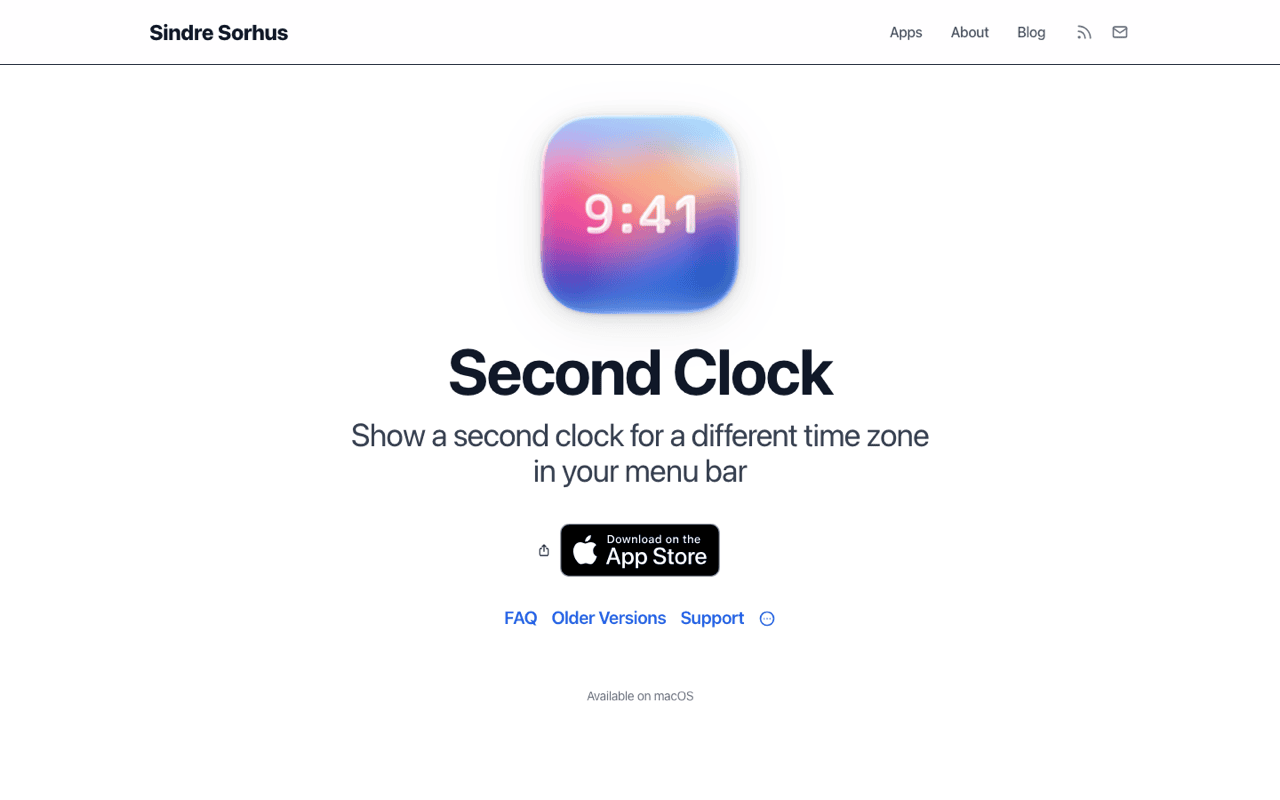
Second Clock puts one other timezone in the bar. By Sindre Sorhus, free on the Mac App Store, no ads and no in-app purchases. Mine shows the timezone of the people I work with, and I look at it before sending anything after my evening. It needs macOS 15.2 or later, it is App Store only, and it shows a single extra clock. For four cities at once, find something else.

Where this stops being worth it

Hiding an icon does nothing to the process behind it. Ice and Thaw manage what you see, and the twelve apps under the arrow still wake up, still poll, still hold their permissions. If your battery estimate has quietly halved this year, a bar manager will not tell you why, and the fix is uninstalling something rather than tidying.

Sensor readers deserve a second look for the same reason. Stats and Hot both sample continuously, and the cost is small until you enable everything and put six modules in the bar. Watching a temperature graph all day costs some of the battery you were watching.

The other honest limit is fragility. Everything here except Second Clock reaches into behaviour Apple never promised would stay put. That is why the forks exist, why version numbers stay under 1.0, and why every autumn brings a week of broken bars. I accept that trade because the alternative is a paid app that can be sold to a company I did not choose.

Frequently asked questions

Do menu bar apps slow down a Mac?

Individually, almost never. The measurable cost comes from apps that sample hardware constantly or run a bundled browser engine. A sensor monitor with every module enabled is the one to configure down.

What replaced Bartender after the acquisition?

Ice, for most people, with Thaw as the actively maintained fork of it. Both are free and open source, and both do the visible section, hidden section and per-item rules that Bartender was bought for.

How do I fit more icons in the menu bar?

Two ways, and they combine. Clamper shrinks the spacing and padding so more icons fit in the same width, and a bar manager moves the rest behind an arrow.

Are open-source menu bar apps safe to install?

Safer than the average download, since you can read the source and the build. Get them from the project's own GitHub releases or Homebrew, and check that the app is signed and notarised.

Get Klipto for Mac

Free for 14 days · no card, no account required · 5 MB

Download Klipto